Why Does Satellite Internet Have Higher Latency?

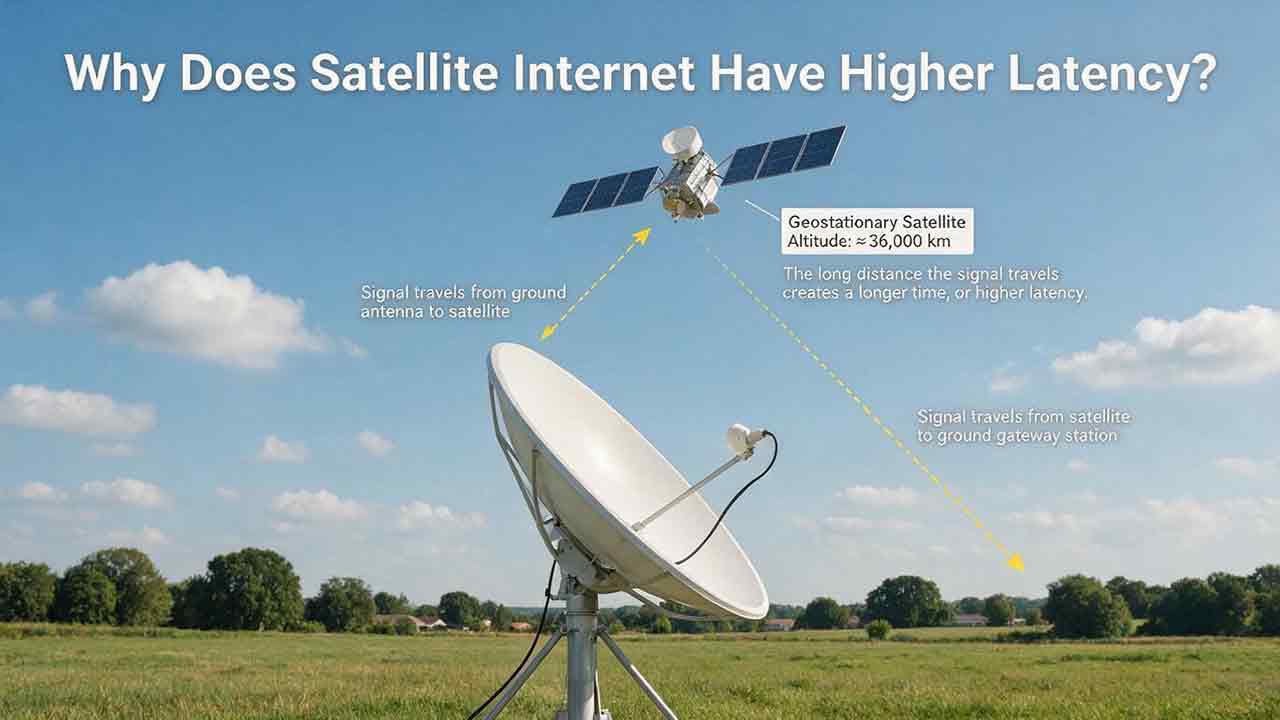
Satellite internet usually has higher latency because each request must travel from the user’s terminal to a satellite, down to a ground gateway, across the internet, and back again. For a geostationary satellite about 35,786 kilometers above Earth, an idealized four-leg space path corresponds to a theoretical round-trip propagation time of about 477 milliseconds before network processing and routing are included.
Key Takeaways
- Distance is the main reason traditional satellite internet has higher latency.
- A simplified GEO calculation produces about 477 milliseconds of theoretical space-path round-trip time, not a guaranteed customer ping.
- LEO satellites reduce propagation delay because they orbit much closer to Earth.
- Download speed and latency measure different aspects of internet performance.
- Wi-Fi, upload saturation, packet loss and provider congestion can add delay, so repeated wired tests are needed to identify the actual cause.
This guide explains the physics behind satellite delay, compares GEO and LEO networks, and provides a practical way to separate unavoidable orbital latency from provider-network and home-network problems.
Methodology note: This guide is based on published orbital references, physical constants, telecommunications guidance and provider documentation. Provider materials are used only for provider-specific examples, while general scientific claims are checked against government, scientific or standards-based sources where available. No hands-on test of a particular service is represented.
Who This Guide Is For
This guide is most useful for:
- Rural households comparing GEO and LEO internet
- Remote workers investigating call, VPN or cloud-app delay
- Satellite users experiencing high ping or latency spikes
- Buyers deciding whether satellite latency fits their regular activities
It is not a substitute for provider-specific engineering support or professional network analysis.
The Core Reason: Satellite Signals Travel Farther
Satellite internet has higher latency because its signal follows a longer route than most terrestrial broadband traffic.
A cable or fiber connection generally keeps data within infrastructure on or near Earth’s surface. Satellite internet adds at least one journey into space.
A typical request follows this path:
- A computer or phone sends data to the home router.
- The router passes the data to the satellite terminal.
- The terminal transmits the data to an orbiting satellite.
- The satellite forwards it to a ground gateway.
- The gateway sends the request through the wider internet.
- The response returns through the gateway, satellite and user terminal.
The architecture includes the user terminal, satellites, gateways, and terrestrial backhaul.
Radio signals travel extremely quickly, but not instantaneously. When a signal must cover tens of thousands of kilometers several times, the travel time becomes noticeable.
According to NASA Earthdata’s orbital reference, low Earth orbit extends approximately 160 to 2,000 kilometers above Earth. Geosynchronous orbit is located at approximately 35,786 kilometers.
A geostationary satellite is a geosynchronous satellite positioned above the equator so that it appears to remain over the same region of Earth.
What Does Internet Latency Mean?
Latency is the time required for data to reach a destination and for a response to return.
It is normally measured in milliseconds, abbreviated as ms. Consumer speed tests commonly display round-trip time, or RTT.
Latency is not the same as internet speed.
| Measurement | What it describes | What users usually notice |
|---|---|---|
| Download speed | How much data can arrive each second | Download time, streaming resolution and file transfers |
| Upload speed | How much data can leave each second | Cloud backups, uploads and outgoing video quality |
| Latency | How long a request and response take | Responsiveness, reaction time and conversational delay |
| Jitter | How much latency changes between packets | Uneven audio, unstable calls and inconsistent gameplay |
| Packet loss | Data that fails to reach its destination | Freezing, retransmissions and disconnections |
A connection can therefore transfer large files quickly while still responding slowly during live interactions.
This is why a video may stream smoothly after buffering while an online game, video call or remote desktop session feels delayed.
A Transparent GEO Propagation Calculation
The following calculation shows why GEO latency cannot be removed through a faster plan, software optimization or a new router.
It is an editorial theoretical estimate based on public orbital and physical constants, not a measurement of any provider’s network.
Assumptions
The simplified calculation assumes:
- GEO altitude: approximately 35,786 kilometers
- Four minimum ground-to-satellite or satellite-to-ground path segments
- Idealized vertical geometry
- Propagation at the speed of light in a vacuum
- No equipment, routing, scheduling, congestion or server delay
The four idealized space-path segments are:
- User terminal to satellite
- Satellite to ground gateway
- Ground gateway to satellite
- Satellite back to the user terminal
Step 1: Calculate the Minimum Space Distance
4 × 35,786 km = 143,144 km
Step 2: Divide by the Speed of Light
The NIST CODATA value for the speed of light in a vacuum is exactly 299,792,458 meters per second, or approximately 299,792 kilometers per second.
143,144 km ÷ 299,792 km/s ≈ 0.477 seconds
Result
0.477 seconds ≈ 477 milliseconds
The idealized space-path round trip therefore corresponds to approximately 477 ms of theoretical propagation time.
What the 477 ms Figure Does Not Mean
The calculation is not:
- A provider speed-test result
- A guaranteed minimum customer ping
- An average across every GEO service
- A complete end-to-end latency measurement
Real signal paths are normally longer because the user terminal and gateway are not positioned directly beneath the satellite. The angled path is called the slant range.
A working connection also adds:
- Modem processing
- Error correction
- Radio scheduling
- Gateway processing
- Terrestrial internet routing
- Network congestion
- Server response time
- Local Wi-Fi delay
- Packet retransmissions
Actual GEO internet latency is therefore generally higher than the simplified 477 ms result.
Hughesnet’s official explanation of transmission latency similarly describes a roughly half-second delay associated with the long GEO satellite round trip. That explanation is provider-specific and should not be interpreted as a performance guarantee for every plan or location.
How Much Does Orbit Altitude Change Propagation Time?
The same method can illustrate why lower-orbit systems begin with a much smaller physical delay.
The following examples assume four idealized altitude-length path segments. They do not predict actual customer ping.
| Illustrative altitude | Four-leg distance | Idealized space-path time |
|---|---|---|
| 550 km | 2,200 km | About 7.3 ms |
| 1,000 km | 4,000 km | About 13.3 ms |
| 35,786 km | 143,144 km | About 477.5 ms |
The 550 km and 1,000 km figures are illustrative altitude points used to show how propagation distance changes.
They do not:
- Represent every satellite in a particular constellation
- Describe a provider’s complete orbital architecture
- Predict the actual latency of a service
- Include gateways, routing, handoffs or congestion
The useful conclusion is not that every LEO customer should receive single-digit ping. It is that a LEO network starts with a much smaller physical distance penalty than a GEO network.
Why Does LEO Satellite Internet Have Lower Latency?
LEO satellite internet has lower latency because its satellites operate much closer to Earth.
A LEO satellite moves rapidly relative to the ground, so one spacecraft cannot remain fixed over a customer. Continuous broadband service normally requires a constellation, regular satellite or beam handoffs, ground gateways and internet points of presence.
Some systems also use inter-satellite links to move traffic between satellites before returning it to Earth.
The architecture is more dynamic than a fixed GEO link, but the shorter space path substantially reduces propagation time.
A Dated Provider-Reported Example
Starlink reported a median peak-hour latency of 25.7 ms across its U.S. customers as of June 2025.
This dated figure is included to illustrate the scale of provider-reported real-world LEO latency. It does not describe guaranteed current performance for every plan, location or customer.
The figure is:
- Published by the service provider
- Limited to customers in the United States
- A median rather than a maximum or guarantee
- Based on the provider’s own network data
- Not a universal standard for all LEO systems
A Starlink engineering report available when this article was reviewed states that physical propagation between the user, satellite and ground network contributes approximately 1.8 to 3.6 milliseconds per leg and is usually below 10 milliseconds for the basic round trip.
The same report identifies gateway routing, radio scheduling, congestion, buffering and packet retries as additional sources of delay.
This distinction is central to understanding LEO service:
Orbit altitude sets the physical propagation floor, but the wider network determines the final customer ping.
LEO and GEO satellite internet differ substantially in orbital distance, propagation delay, and network geometry.
GEO vs LEO Satellite Latency
| Characteristic | GEO satellite internet | LEO satellite internet |
|---|---|---|
| Approximate orbital region | About 35,786 km | Roughly 160 to 2,000 km |
| Apparent movement | Appears fixed above one region | Moves rapidly across the sky |
| Network design | Smaller number of wide-coverage satellites | Constellation providing continuous coverage |
| Physical propagation delay | High | Much lower |
| Satellite handoffs | Usually unnecessary for fixed service | Regular handoffs are expected |
| Interactive performance | Delay is normally noticeable | Generally more responsive |
| Main latency constraint | Orbital distance | Routing, congestion, scheduling and handoffs |
| Main architectural strength | Wide coverage from one satellite | Shorter paths across distributed coverage |
Orbit is a major performance factor, but it does not determine service quality by itself.
A stable GEO network may deliver predictable performance. A congested or inefficiently routed LEO connection can still produce latency spikes, jitter or packet loss.
Why Is LEO Not Always as Low-Latency as Fiber?
A shorter trip into space does not guarantee the shortest end-to-end route.
A complete LEO connection may include:
- The user terminal
- A moving satellite
- A ground gateway
- An internet point of presence
- Terrestrial backbone routes
- A destination server
- One or more satellite or beam handoffs
Traffic may also travel through inter-satellite links before returning to Earth. These links can extend coverage across oceans and remote areas, but they may create a longer route than a nearby ground gateway.
Additional delay can come from:
- Radio-link scheduling
- Gateway congestion
- Internet exchange placement
- Error correction
- Traffic prioritization
- Packet inspection
- Network queues
- A distant destination server
Fiber generally avoids the ground-to-space radio path and may follow a more direct terrestrial route. Where reliable fiber is available, it usually provides lower and more consistent latency.
However, unavailable fiber is not a practical alternative. Internet services should be compared at the exact address where they will be used.
The CosmoBasics Three-Layer Latency Framework
For practical diagnosis, satellite latency can be separated into three layers.
This is a CosmoBasics editorial troubleshooting framework rather than a formal telecommunications standard.
| Layer | What it includes | User control |
|---|---|---|
| 1. Physical path | Orbital altitude, satellite geometry and signal distance | Little or none |
| 2. Provider network | Gateways, beams, routing, scheduling and congestion | Usually none |
| 3. Local network | Wi-Fi, router queues, devices and background traffic | Often substantial |
The framework separates delay that cannot be changed at home from delay that may be diagnosed or reduced.
Layer 1: Physical Path
The physical path establishes the latency floor.
A GEO customer cannot shorten the satellite’s orbit by replacing a router or purchasing more bandwidth. A LEO system starts with a shorter path, although the exact distance changes as satellites move.
Layer 2: Provider Network
The provider controls how traffic moves through:
- Satellite beams
- Ground gateways
- Inter-satellite links
- Internet points of presence
- Terrestrial backbone networks
Customers normally cannot alter this architecture. They can document recurring performance patterns and compare them with the provider’s published plan information.
Layer 3: Local Network
The home network can add enough delay to make a functioning satellite service appear defective.
Common causes include:
- Weak or congested Wi-Fi
- Poor mesh-network backhaul
- An overloaded router
- Cloud backups
- Security-camera uploads
- Software updates
- Damaged cables
- Older client devices
The most useful first comparison is usually Ethernet versus Wi-Fi under similar conditions.
What Else Can Increase Satellite Latency?
Orbital Geometry
A satellite directly above a terminal has a shorter path than one near the terminal’s usable horizon.
For GEO users at higher latitudes, the satellite may appear lower in the sky. For LEO users, the path changes continuously as satellites move through the coverage area.
Gateway and Point-of-Presence Location
Satellite traffic normally enters the public internet through a terrestrial gateway or point of presence.
A distant gateway adds ground-network distance. It may also cause location-sensitive websites to identify the user by the gateway location rather than the customer’s physical address.
Shared-Capacity Congestion
Satellite beams and gateways have finite capacity.
During busy periods, packets may wait in queues. Evening latency can therefore increase even though the satellite’s orbital distance has not changed.
Radio Scheduling and Handoffs
Shared wireless systems must decide when each terminal can transmit and receive data.
LEO terminals must also transfer their connection between satellites or coverage beams. Modern systems are designed to make these transitions smoothly, but scheduling or handoff problems can temporarily increase latency, jitter or packet loss.
Packet Loss
When a packet fails to arrive, the network may have to send it again.
Retransmissions can cause:
- Frozen video
- Broken audio
- Slow page loading
- Game interruptions
- Repeated buffering
Weather, obstructions, radio interference, weak Wi-Fi, and faulty cables may all contribute to connection problems.
Bufferbloat
Bufferbloat occurs when a modem or router holds too much traffic in a queue.
The connection may appear normal when idle but become far less responsive during:
- Cloud backups
- Large uploads
- Video publishing
- Security-camera synchronization
- Software updates
This pattern is frequently mistaken for unavoidable satellite latency even though part of the problem exists inside the local network.
Which Activities Are Most Affected?
Latency matters most when an activity requires rapid, repeated exchanges with a remote system.
| Activity | Latency sensitivity | What users may notice |
|---|---|---|
| Low | Usually little effect | |
| Large downloads | Low to moderate | Transfer capacity matters more |
| Video streaming | Low after buffering | Slower startup or seeking |
| General web browsing | Moderate | Small delays accumulate across requests |
| Cloud applications | Moderate to high | Slower menus, saves and remote actions |
| Voice calls | High | Pauses and overlapping speech |
| Video meetings | High | Delayed reactions and awkward conversation |
| Remote desktop | High | Cursor and keyboard actions feel disconnected |
| Online gaming | High | Delayed movement and server updates |
| Live remote control | Very high | Delay may prevent precise operation |
ITU-T Recommendation G.114 explains that highly interactive applications can be affected by delays well below the upper bound used for general network planning.
The recommendation discusses one-way transmission time, while consumer speed tests normally report round-trip time. These measurements should not be treated as interchangeable or converted into one universal “good ping” threshold.
Why Streaming Often Works Better Than Gaming
Streaming applications download and buffer content before displaying it.
Once enough video is stored locally, several hundred milliseconds of latency may not interrupt playback. Bandwidth, congestion and data policy often matter more.
Online games repeatedly exchange small packets with a server. Each action depends on a timely response, making latency, jitter and packet loss more important than maximum download speed.
Is Satellite Latency Acceptable for You?
The answer depends on the services available at the property and the activities that matter most.
Step 1: List the Services You Can Actually Install
Check the address for:
- Fiber
- Cable
- Fixed wireless
- Reliable 4G or 5G home internet
- DSL
- LEO satellite
- GEO satellite
Do not compare satellite only with an ideal service that cannot reach the property.
Satellite and cable connections differ in availability, latency, upload performance, installation constraints, and total cost.
Step 2: Identify the Most Delay-Sensitive Activity
Mostly Delay-Tolerant
Examples include:
- Streaming
- Reading websites
- Software downloads
- Asynchronous online courses
A stable GEO connection may be practical when better terrestrial options are unavailable.
Moderately Interactive
Examples include:
- Cloud documents
- Occasional video meetings
- Online shopping
- Social media management
- Web-based business tools
LEO or a reliable terrestrial service will generally feel more responsive.
Highly Interactive
Examples include:
- Competitive multiplayer games
- Daily remote desktop sessions
- Frequent video conferences
- Internet-based customer support
- Live remote operation
Prioritize verified, stable latency rather than maximum download speed alone.
Step 3: Judge Consistency, Not the Best Ping
Compare:
- Median latency
- Peak-hour latency
- Loaded latency
- Jitter
- Packet loss
- Upload performance
- Results across several days
A stable 60 ms connection may feel better than one that repeatedly shifts between 30 and 300 ms.
Step 4: Review the Plan’s Broadband Label
In the United States, the FCC Broadband Consumer Labels page explains the plan information that covered broadband providers must disclose to consumers.
Depending on the applicable service and rules, a label may include:
- Typical download speed
- Typical upload speed
- Typical latency
- Monthly price
- Data allowances
- Additional fees
- Network-management information
Use the label for the exact plan whenever possible. A figure from another location, plan or service category may not apply to your address.
Quick Diagnosis: Start With the Two-Test Rule
A useful first diagnosis requires two wired tests.
Before You Begin
- Connect one computer by Ethernet.
- Pause background uploads and downloads.
- Close cloud backups, software updates and file synchronization.
- Use the same test destination for both measurements.
Test A: Wired and Idle
Run several latency tests while the connection is otherwise unused.
Record the median result rather than keeping only the lowest number.
Test B: Wired and Under Load
Repeat the test while the connection is actively uploading and downloading.
The difference between Test A and Test B is often more useful than one isolated ping result.
| Two-test result | Most likely interpretation |
|---|---|
| Both tests are consistently high | Orbital architecture, provider routing or persistent congestion |
| Test A is reasonable but Test B rises sharply | Bufferbloat, upload saturation or insufficient capacity |
| Ethernet is stable but Wi-Fi is much worse | Local wireless interference or weak coverage |
| Results worsen mainly in the evening | Shared-capacity congestion is more likely |
| Only one server or application is slow | Destination routing, VPN or remote-server issue |
The Two-Test Rule cannot identify every network fault. Its purpose is to show which of the three latency layers deserves further investigation.
How to Run the Tests Correctly
Compare Different Times
Repeat the wired tests during:
- Morning
- Afternoon
- Evening peak hours
- Weekdays
- Weekends
A repeatable evening increase usually suggests shared-capacity congestion rather than a change in orbital distance.
Compare Ethernet and Wi-Fi
After establishing the wired baseline, repeat the same test over Wi-Fi from the device’s normal location.
If Ethernet is stable but Wi-Fi is not, investigate the local wireless network before replacing satellite equipment or changing plans.
Test More Than One Destination
A distant or overloaded test server can produce misleading results.
Use several destinations, including one near the service that matters most, such as a company VPN, game server or cloud application.
Repeat the Process Over Several Days
Network performance varies.
A useful diagnosis depends on a recurring pattern rather than one best-case or worst-case measurement.
Satellite Latency Diagnostic Matrix
This matrix converts common test patterns into likely explanations.
It is a practical screening tool, not a professional diagnosis.
| Test pattern | Likely explanation | Recommended action |
|---|---|---|
| Ethernet and Wi-Fi are both consistently high | Orbital architecture, provider routing or congestion | Compare with plan disclosures and test at different times |
| Ethernet is normal but Wi-Fi is high | Wireless interference or weak coverage | Reposition the router or improve Wi-Fi coverage |
| Idle latency is acceptable but loaded latency rises sharply | Bufferbloat or upload saturation | Limit uploads and use compatible queue management |
| Latency is much worse in the evening | Shared beam, gateway or backbone congestion | Record several evenings and report the pattern |
| Spikes occur during severe weather | Signal degradation or retransmission | Check terminal visibility and provider guidance |
| Only one application is slow | Remote server, VPN route or application issue | Test another server or VPN region |
| GEO latency is stable but always high | Physical propagation distance | Consider LEO or terrestrial service if low latency is essential |
| Results vary greatly between test servers | Server location or internet routing | Test several nearby and distant destinations |
| Every device slows during a cloud backup | Local upload saturation | Reschedule or limit backups |
| Brief interruptions affect an otherwise stable LEO link | Handoff, obstruction or temporary signal loss | Check obstruction information and record the timing |
A Simple Interpretation Rule
The pattern is normally more useful than one number:
- High on every device suggests architecture, routing or congestion.
- High only over Wi-Fi suggests a local wireless problem.
- High mainly under load suggests queuing.
- High mainly during busy hours suggests shared-capacity congestion.
- High during severe weather suggests signal impairment or retransmission.
Satellite Internet Performance Log
Use the same device, connection type and test method whenever possible.
Do not record only the best or worst result.
| Date and time | Connection | Idle latency | Loaded latency | Jitter | Packet loss | Download | Upload | Weather | Notes |
|---|---|---|---|---|---|---|---|---|---|
| Ethernet | |||||||||
| Ethernet | |||||||||
| Wi-Fi | |||||||||
| Wi-Fi |
Useful notes include:
- Active uploads or downloads
- Number of connected users
- VPN status
- Test-server location
- Applications affected
- Reported terminal obstructions
- Known provider outages
A structured record gives technical support more useful evidence than one speed-test screenshot.
Before Buying a New Router
Do not replace equipment because of one slow test.
First determine whether:
- Ethernet performs better than Wi-Fi
- Latency rises mainly during uploads
- The problem appears only during peak hours
- Every device and application is affected
- The provider has reported an outage
- The terminal reports an obstruction
- Existing hardware is unsupported or malfunctioning
A new router may improve Wi-Fi coverage, device handling or queue management.
It cannot remove GEO propagation delay, repair provider routing or create additional satellite capacity.
How Can You Reduce Avoidable Latency?
Orbital propagation cannot be removed, but local delay can often be reduced.
Practical Checklist
- Use Ethernet for gaming, calls and remote desktop sessions.
- Place the router in an open, central location.
- Keep the terminal’s required view of the sky clear.
- Pause large uploads during important calls.
- Schedule cloud backups for less critical hours.
- Avoid saturating the upload connection.
- Replace damaged or poorly seated cables.
- Follow official equipment and firmware instructions.
- Use compatible active queue management where available.
- Select a nearby VPN or application server.
- Compare repeated tests before changing hardware or plans.
When a Faster Plan May Help
A higher-capacity plan may reduce queuing when several users compete for bandwidth.
It may help with simultaneous streaming, multiple video calls, large downloads, cloud backups and many active devices.
A faster GEO plan will not materially change the physical propagation time created by orbital distance.
Upgrade only when the evidence points to insufficient capacity, traffic prioritization or congestion.
When a Router Upgrade May Help
A router upgrade may be reasonable when:
- Loaded latency rises sharply
- Ethernet is stable but Wi-Fi is poor
- The router struggles with many devices
- Queue-management features are unavailable
- Wireless coverage is inadequate
- Existing hardware is malfunctioning
A router can improve the local network. It cannot convert GEO propagation into LEO-like latency.
Real-World Satellite Latency Decisions
A Rural Household That Mainly Streams
The household watches streaming services, uses email and downloads files.
Practical assessment: A stable GEO connection may be adequate when cable, fiber, fixed wireless and dependable cellular service are unavailable. Capacity, data policy, evening congestion and price may matter more than achieving the lowest ping.
A Remote Worker in Daily Video Meetings
The user joins several calls, works in cloud applications and connects through a company VPN.
Practical assessment: LEO is generally a better fit than GEO-only service because conversational and remote applications benefit from lower delay. Upload capacity, VPN routing, jitter and peak-hour consistency still need to be evaluated.
A Competitive Online Gamer
The user plays reaction-sensitive multiplayer games.
Practical assessment: A low-latency terrestrial connection is normally preferable where available. LEO may support many games, but server distance, routing and latency variation can still affect competitive performance.
An Off-Grid Property
The property has no cable, fiber, fixed wireless or dependable cellular coverage.
Practical assessment: Satellite may be the only realistic broadband option. The useful comparison is between services that can actually reach the property.
A Small Business That Cannot Tolerate Outages
The business relies on card payments, cloud software and internet calling.
Practical assessment: The business should evaluate redundancy, failover time, support terms, upload capacity and loaded latency. Two independent connections may provide more resilience than one faster connection.
Common Satellite Latency Mistakes
Treating Speed and Latency as the Same Measurement
A higher Mbps figure does not automatically mean faster responses.
Compare latency, jitter and packet loss separately.
Assuming Every Satellite Service Has GEO-Level Delay
Satellite broadband includes GEO, LEO and hybrid architectures.
There is no single universal satellite internet latency.
Testing Only Over Weak Wi-Fi
Poor Wi-Fi can make a functioning satellite connection appear defective.
Establish an Ethernet baseline first.
Trusting One Ping Result
Latency changes with routing, network load, server location and local traffic.
Use repeated measurements and compare medians.
Expecting a Faster Plan to Defeat Physics
Additional bandwidth may reduce queues.
It cannot shorten the GEO space path.
Ignoring Upload Saturation
Cloud backups, security cameras and video uploads can fill the upstream queue.
Small interactive packets may then wait behind larger transfers.
Choosing Only by the Lowest Advertised Ping
A typical latency figure does not describe every aspect of performance.
Also consider:
- Jitter
- Packet loss
- Peak-hour consistency
- Loaded latency
- Service interruptions
- Remote-area routing
Is Higher Latency a Reason to Avoid Satellite Internet?
Not by itself.
Satellite internet can provide useful broadband where terrestrial infrastructure is unavailable, unreliable or uneconomical to extend.
For email, streaming, research and downloads, broad availability may matter more than obtaining the lowest possible ping. Latency becomes more important when users depend on rapid two-way interaction.
Practical Selection Guide
| Situation | Practical direction |
|---|---|
| Reliable fiber or cable is available at a reasonable cost | The terrestrial service will usually provide lower latency |
| No wired broadband, but strong fixed wireless is available | Compare fixed wireless with LEO at the exact address |
| Daily calls, remote desktop or gaming are important | Prioritize low and stable verified latency |
| Use is mainly streaming, email and downloads | GEO may remain practical where alternatives are limited |
| The property has no terrestrial coverage | Compare satellite services by coverage, latency, capacity and cost |
| Connectivity is business-critical | Consider an independent backup connection |
| Performance changes mainly by time of day | Investigate congestion before replacing equipment |
The strongest selection rule is:
Compare services that can actually be installed, then judge them by the most delay-sensitive activity performed regularly.
The Bottom Line
GEO satellite internet has higher latency because its signal must cover a very long space path. Under idealized assumptions, four GEO path segments correspond to approximately 477 ms of theoretical propagation time before the rest of the network is included.
LEO systems shorten that path substantially, but gateway placement, routing, congestion, handoffs and the local network still influence the final result.
When performance is poor, begin with two wired tests: one while idle and one under load. Then compare times of day, destinations and Wi-Fi performance before purchasing equipment or changing service.
Frequently Asked Questions
What Is a Good Latency for Satellite Internet?
There is no single figure that is good for every activity. Email and buffered streaming tolerate more delay than video calls, remote desktop work or competitive gaming. Average latency should be considered together with jitter, packet loss, loaded latency and peak-hour consistency.
Does Satellite Internet Always Have High Latency?
No. GEO systems have high propagation latency because their satellites are approximately 35,786 kilometers above Earth. LEO systems operate much closer and can provide substantially lower latency, although results vary by provider, location, routing and network demand.
Why Does Satellite Internet Get Slower at Night?
The satellite does not move farther away at night. Evening performance often worsens because more customers share the same beam, gateway or backbone resources. Household streaming, uploads and cloud backups may also add local congestion.
Why Can Satellite Internet Download Quickly but Still Lag?
Download speed measures how much data can move each second. Latency measures how long a request and response take. A connection can have substantial transfer capacity while still pausing before each interaction.
Can GEO Satellite Internet Handle Video Calls?
GEO service can carry video calls, but users may notice pauses, delayed reactions or overlapping speech. The experience also depends on upload capacity, jitter, packet loss, congestion and the conferencing platform.
Is LEO Satellite Internet Suitable for Gaming?
LEO can support many online games because its propagation time is much lower than GEO. Competitive performance still depends on server location, routing, congestion, jitter and packet loss, so no provider figure guarantees the same experience for every game or address.
Sources
Provider pages describe provider-specific systems and may change over time.
Independent and Standards-Based Sources
NASA Earthdata — “Orbits”
Supports the approximate 160–2,000 km LEO range, the 35,786 km geosynchronous altitude and the distinction between geosynchronous and geostationary orbit.National Institute of Standards and Technology — “CODATA Value: Speed of Light in Vacuum”
Provides the exact physical constant used in the GEO propagation calculation.International Telecommunication Union — ITU-T Recommendation G.114, “One-Way Transmission Time”
Provides guidance on one-way network delay and the sensitivity of interactive communications to latency.Federal Communications Commission — “Broadband Consumer Labels”
Explains the U.S. consumer broadband-plan disclosure framework, including plan-performance information.
Provider-Specific Sources
Starlink — “Network Update”
Provider-reported network data used for the dated June 2025 U.S. median peak-hour latency example. It is not an independent measurement or customer guarantee.Starlink — “Improving Starlink’s Latency”
Provider engineering material used for a Starlink-specific explanation of propagation, gateways, radio scheduling, congestion, buffering and packet retries.Hughesnet — “What Is Transmission Latency?”
Provider explanation of the long GEO signal path and its approximate half-second propagation effect.
More from Satellite Internet & Connectivity
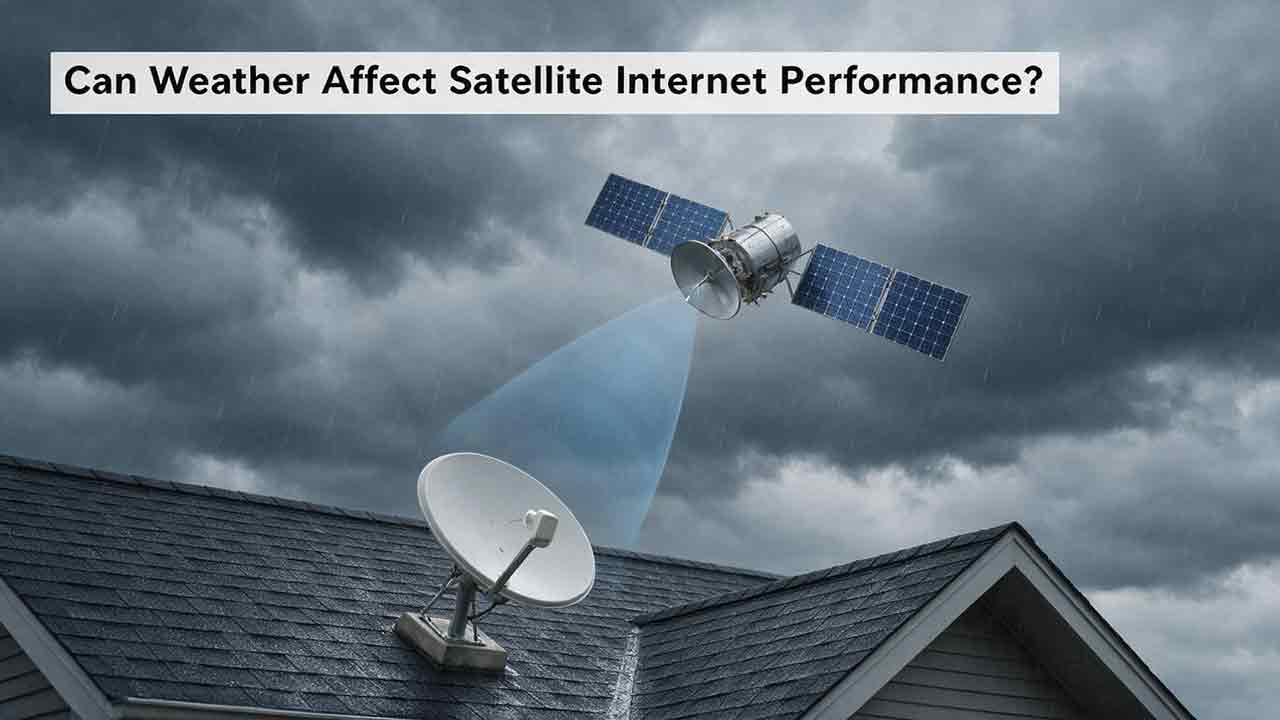
Can Weather Affect Satellite Internet Performance?
Weather can affect satellite internet performance, but the severity depends on the type of weather, signal frequency, equipment condition, installation quality, and network architecture. This guide explains how intense rain can cause temporary signal attenuation, why wet snow and ice may affect both the radio path and the terminal, and how wind, lightning, extreme temperatures, and power failures can disrupt service indirectly. It also explains why users may experience an outage under clear local skies when severe weather affects a distant provider gateway. To help readers diagnose problems safely, the article introduces the CosmoBasics Weather Impact Triangle, separating signal-path, terminal, and infrastructure risks. Readers also receive a practical troubleshooting process, a reusable weather incident log, common-mistake warnings, and a harsh-climate buying checklist. The guide relies on ITU, NASA, NOAA, FCC, and provider documentation while clearly distinguishing general engineering principles from model-specific equipment features.
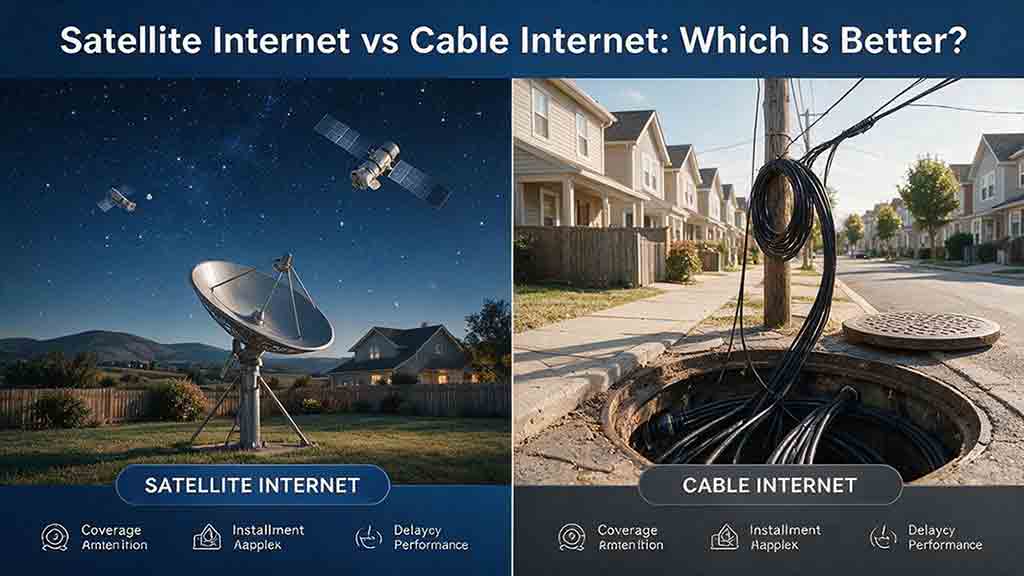
Satellite Internet vs Cable Internet: Which Is Better?
Cable internet is usually the stronger option when reliable service is available at a reasonable total cost, while satellite internet is often more practical for rural, remote, or difficult-to-wire properties. This guide compares both technologies across download speed, upload capacity, latency, reliability, data policies, installation requirements, and long-term cost. It explains why LEO and GEO satellite systems provide different user experiences and includes a transparent GEO propagation estimate, a household bandwidth example, and a rural installation cost comparison. Readers can also use the Eligibility-First Internet Selection Test to eliminate nonviable services, protect critical requirements, and score the remaining options according to their priorities. Reliability evidence, confidence levels, troubleshooting steps, and a detailed buying checklist help prevent decisions based only on advertised speed or promotional pricing. The article uses official FCC, NASA, CableLabs, Starlink, Netflix, and Zoom documentation while clearly separating published specifications from editorial calculations and planning recommendations.
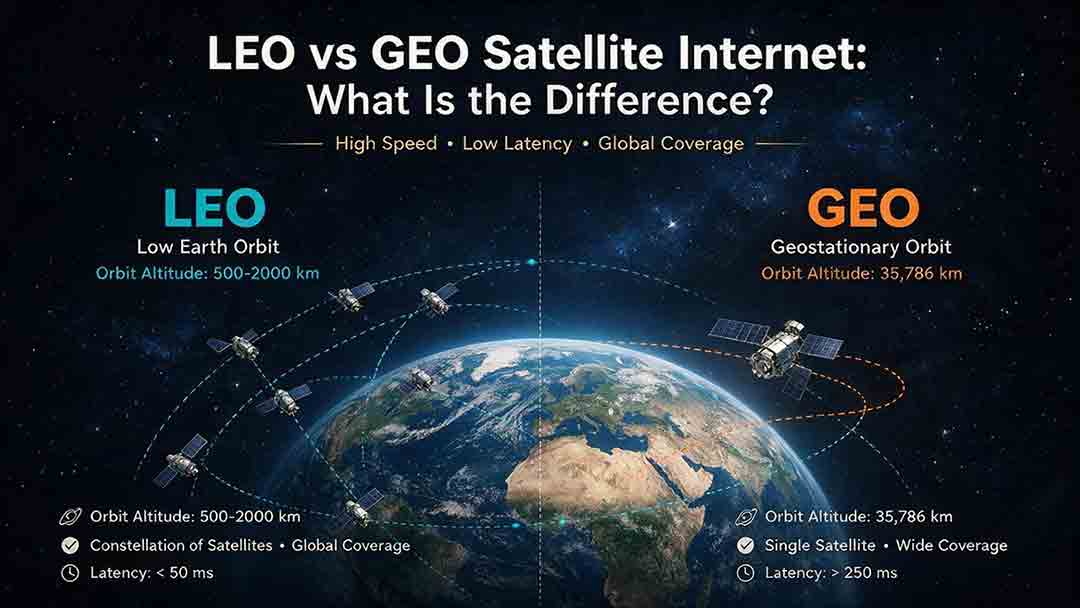
LEO vs GEO Satellite Internet: What Is the Difference?
LEO and GEO satellite internet differ mainly in orbital altitude, latency, coverage, and installation requirements. LEO networks use constellations of satellites moving relatively close to Earth, which generally provides lower latency for video meetings, remote desktops, cloud applications, voice calls, and many online games. GEO satellites remain in a fixed apparent position approximately 35,786 kilometers above the equator, allowing users to install permanently aligned dishes while receiving broad regional coverage. However, the longer signal path creates unavoidable propagation delay. This guide explains why orbit type does not determine download speed or reliability by itself. It compares network capacity, sky visibility, high-latitude coverage, weather effects, and address-level availability. Readers can also use the CosmoBasics LVC Decision Framework, worked propagation calculations, illustrative scenarios, six-step selection process, and buying checklist to evaluate whether LEO, GEO, or a terrestrial broadband service is the most practical option for their location.
Explore More Topics
How Do Satellites Detect Wildfires and Smoke?
Satellites detect wildfires by measuring unusual heat in infrared wavelengths, while visible, multispectral, and aerosol observations help analysts follow smoke across the atmosphere. This guide explains how systems such as GOES, VIIRS, MODIS, Landsat, and Sentinel contribute different pieces of the wildfire-monitoring picture. Readers will learn why a thermal hotspot is not the same as an exact fire perimeter, why satellite smoke imagery cannot replace ground-level PM2.5 measurements, and how clouds, terrain, viewing geometry, and satellite overpass timing can affect detection. The article also compares commonly used fire and smoke products, explains fire radiative power and the Normalized Burn Ratio, and provides a practical framework for choosing the right map. A documented Camp Fire example shows how multiple satellite and surface datasets can complement one another. Satellite information is valuable for situational awareness, but official emergency agencies remain the appropriate source for evacuation orders, road closures, and immediate safety decisions.

How Are Satellite Images Used in Agriculture?
Satellite images help farmers, agronomists, researchers, insurers, and public agencies monitor agricultural land across fields, regions, and growing seasons. This guide explains how optical, radar, thermal, and microwave satellite observations support crop-development monitoring, irrigation analysis, field mapping, flood and drought assessment, crop classification, and regional production forecasting. It distinguishes what satellites directly observe from calculated indices, classification results, and modeled estimates such as evapotranspiration. Readers will also learn how NDVI works, why spatial resolution and image timing matter, and when drones or field scouting are more appropriate. The original CosmoBasics SCALE Framework provides a practical way to decide whether satellite imagery fits a specific agricultural problem. Documented examples from USDA and OpenET show how operational products combine multiple observations, reference data, weather information, and models. Throughout the guide, satellite imagery is treated as a screening and monitoring tool—not a substitute for field verification, laboratory testing, or professional agricultural judgment.
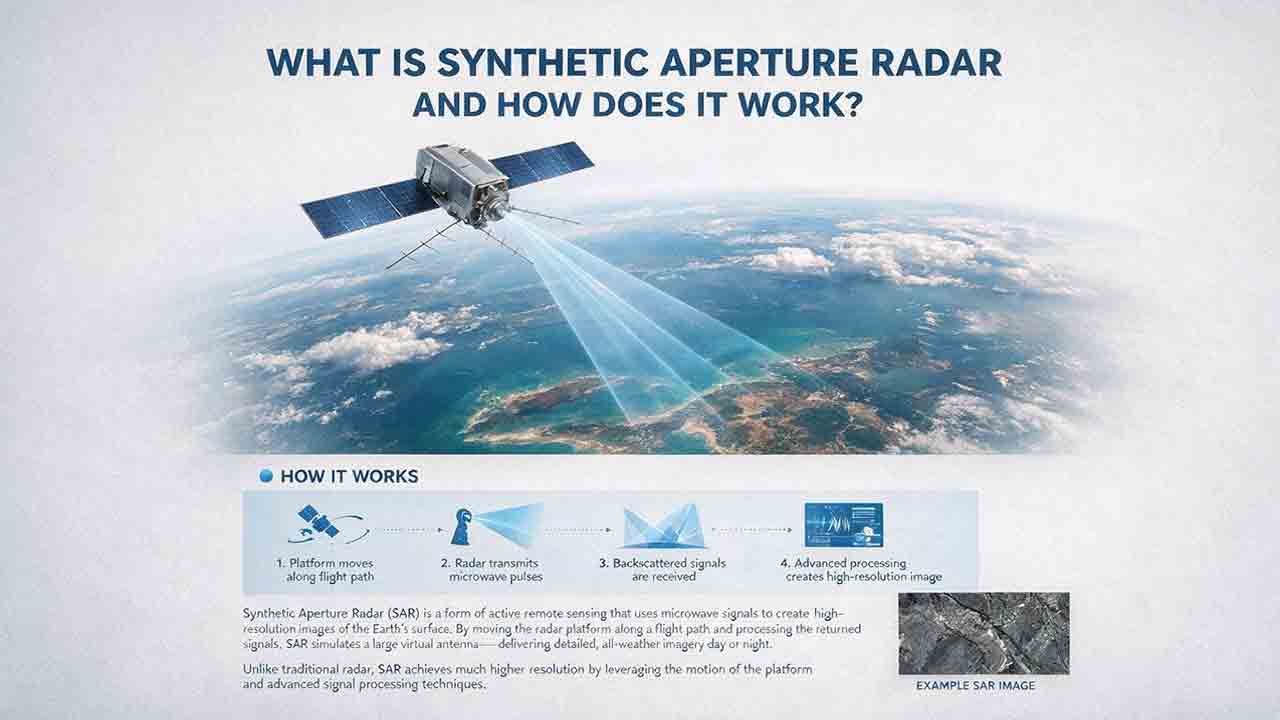
What Is Synthetic Aperture Radar and How Does It Work?
Synthetic aperture radar, or SAR, is an active Earth-observation technology that creates detailed images by transmitting microwave pulses and measuring the echoes returned from the surface. This article explains how a moving satellite or aircraft collects repeated observations to form a virtual antenna, why SAR can operate at night and through most cloud cover, and how amplitude, phase, wavelength, polarization, surface roughness, moisture, and viewing geometry affect radar imagery. It also distinguishes pixel spacing from true spatial resolution, provides a transparent range-resolution calculation, and compares SAR with optical satellite imagery. Practical sections examine scattering mechanisms, flood mapping, agriculture, forests, ice, maritime monitoring, and InSAR-based ground-deformation analysis. Original interpretation and data-selection frameworks help readers evaluate backscatter patterns, choose suitable products, identify common errors, troubleshoot unexpected results, and communicate uncertainty without treating derived radar products as guaranteed ground truth.