Can Weather Affect Satellite Internet Performance?

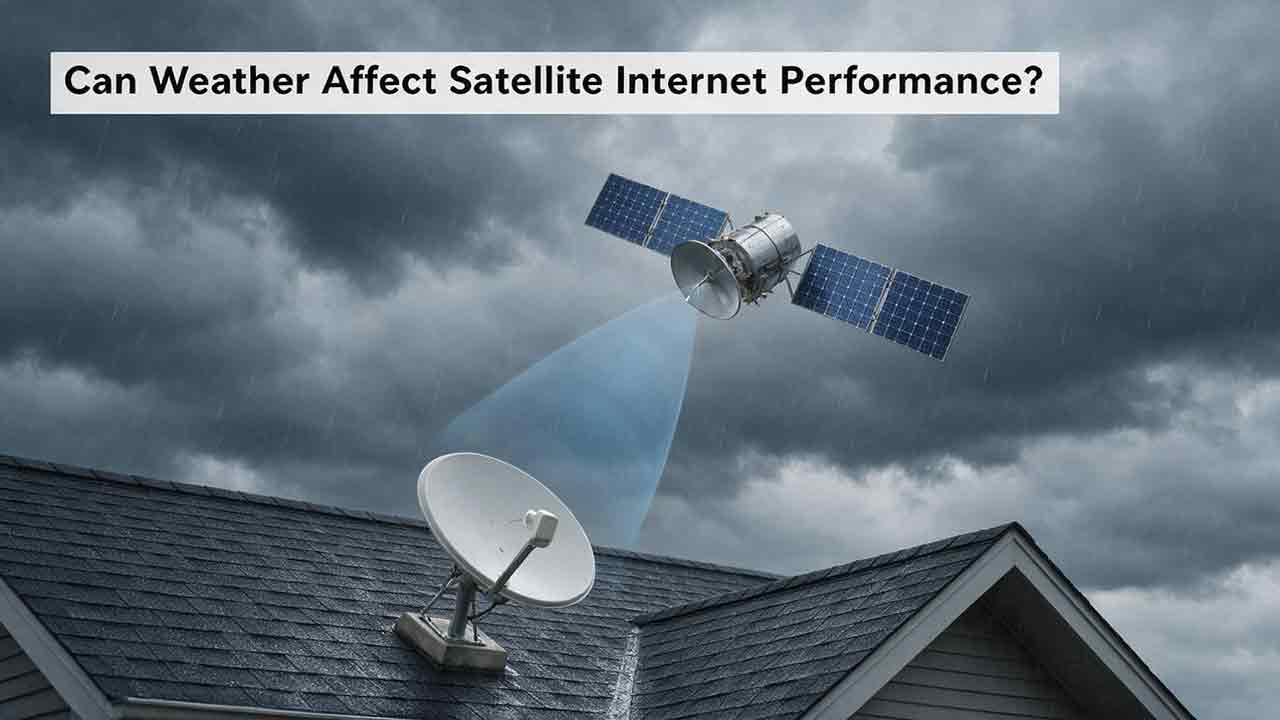
Yes. Weather can affect satellite internet performance when heavy rain, wet snow, ice, or severe storms weaken the radio link, obstruct the terminal, damage equipment, or interrupt power. Ordinary clouds and light rain usually cause little noticeable change. Clear weather at your home does not rule out a weather-related interruption because a distant provider gateway may be experiencing severe conditions.
Key Takeaways
- For many consumer satellite links using Ku- or Ka-band frequencies, intense rain is one of the most important atmospheric causes of short-term signal loss.
- Wet snow and ice can affect both the radio path and the antenna surface.
- Wind generally affects mounts, cables, power, trees, and debris rather than absorbing the satellite signal directly.
- Weather near a remote gateway can disrupt service even when local skies are clear.
- A connection that remains degraded after the storm may have an equipment, installation, power, or network problem.
This guide explains which weather conditions matter, how to distinguish a temporary signal fade from a physical fault, and what you can safely do before contacting technical support.
Scope and testing disclosure: This guide is based on published engineering recommendations, government and research documentation, and current provider support materials. CosmoBasics did not conduct laboratory propagation measurements or test every satellite terminal discussed.
Safety note: Do not climb onto a roof or handle outdoor electrical equipment during lightning, strong wind, flooding, snow, or ice. Follow the instructions for your exact hardware model and use a qualified installer or electrician when necessary.
On This Page
- How weather affects a satellite connection
- Rain and rain fade
- Snow and ice
- Remote gateway weather
- The Weather Impact Triangle
- Troubleshooting
- Harsh-climate buying checklist
- Frequently asked questions
How Does Weather Affect Satellite Internet?
Weather can interfere with satellite internet in three places:
- The radio path between a satellite and a ground antenna
- The user terminal, including its antenna, mount, cables, and power supply
- The supporting infrastructure, including remote gateways, terrestrial networks, and utility power
These causes can produce similar symptoms but require different responses.
A brief connection drop during intense rain may disappear without intervention. A shifted mount, damaged cable, or flooded power supply may remain faulty after the sky clears.
What Is Rain Fade?
Rain fade is the temporary weakening of a radio signal as it passes through rain or moisture-rich precipitation.
Raindrops absorb and scatter part of the energy traveling between a satellite and a ground antenna. If the remaining signal becomes too weak for reliable decoding, the network may reduce its data rate, retransmit information, or temporarily lose the link.
The International Telecommunication Union’s Earth-space propagation guidance identifies rain, other precipitation, clouds, atmospheric gases, scintillation, and additional propagation effects that satellite-system designers may need to consider.
The ITU also publishes a specific attenuation model for rain. That model relates rain attenuation to factors including signal frequency, rainfall rate, polarization, elevation angle, and path conditions.
These engineering methods help designers estimate system requirements. They do not predict the exact speed of an individual household connection during a particular storm.
Why Does Signal Frequency Matter?
Satellite internet networks use different frequencies and link designs.
Some higher-frequency links can support substantial data capacity but may also be more sensitive to atmospheric moisture than lower-frequency links. Actual weather performance depends on the complete system, including:
- Antenna gain
- Transmission power
- Signal margin
- Elevation angle
- Coding and modulation
- Beam design
- Gateway locations
- Network routing
- Terminal condition
- Installation quality
A frequency band alone cannot determine whether one provider will be more reliable than another during bad weather.
NASA research into weather-aware Ka-band communications illustrates how precipitation can degrade a satellite link and how a network may respond through scheduling or data-rate control.
That research describes a particular communications environment. It should not be used to predict the exact performance of a residential account because consumer systems may use different antennas, frequencies, link margins, routing systems, and operating procedures.
Which Weather Conditions Affect Satellite Internet Most?
The practical effect depends on weather intensity, the position of the affected signal path, equipment condition, and network design.
| Weather condition | Likely effect | Main reason | Appropriate first response |
|---|---|---|---|
| Ordinary cloud cover | Usually little or no noticeable effect | Limited attenuation under normal conditions | No action normally needed |
| Fog or light rain | Usually minimal | Relatively low moisture attenuation | Monitor the connection |
| Heavy rain | Slower service or temporary interruption | Rain fade and reduced signal margin | Check provider status and wait safely |
| Dry falling snow | Often limited | Lower liquid-water content than wet snow | Watch for accumulation |
| Wet snow or sleet | Potentially significant | Moisture attenuation and antenna buildup | Inspect only from a safe position |
| Ice accumulation | Potentially severe or persistent | Surface obstruction, added weight, or equipment stress | Follow manufacturer guidance |
| Strong wind | Usually indirect | Mount movement, debris, tree movement, cable damage, or power loss | Inspect after conditions are safe |
| Extreme heat or cold | Hardware-dependent | Thermal limits, power demand, or component protection | Check exact equipment specifications |
| Lightning | Mainly indirect but potentially damaging | Electrical surges, power loss, or equipment damage | Follow electrical-safety guidance |
| Hail | Storm- and hardware-dependent | Signal attenuation or physical impact | Check for damage after the storm |
| Clear local skies with a distant storm | Possible interruption | Weather near a provider gateway | Check provider status information |
A dramatic-looking storm is not always the most disruptive.
A short but intense rain cell crossing a critical signal path may affect service more than hours of light rainfall. Wet snow attached to a terminal may cause more trouble than heavier-looking dry powder that does not accumulate.
How Much Does Rain Affect Satellite Internet?
Light rain usually produces little noticeable change. Intense rain can reduce speed, increase packet loss, destabilize real-time applications, or interrupt service temporarily.
Rainfall intensity matters more than the simple fact that rain is present.
Other important variables include:
- Storm depth and movement
- Signal frequency
- Antenna elevation angle
- Available link margin
- Antenna condition
- Network adaptation methods
- Whether the affected path is near the user or a gateway
What Happens When the Signal Weakens?
A satellite connection does not always move directly from normal performance to complete failure.
Depending on the network, it may:
- Use more robust coding
- Change modulation
- Reduce its data rate
- Retransmit lost information
- Move traffic through another available path
- Use another gateway where the network permits
- Temporarily interrupt the link
This is why one household may notice slower downloads while another experiences unstable video calls or brief disconnections.
Can Rain Cause a Permanent Problem?
Rain fade itself is temporary. Performance should normally improve when the affected signal path clears.
A storm can still expose or create a separate physical problem, including:
- Water entering a damaged connector
- A deteriorated cable seal
- A loose antenna mount
- Flooding near electrical equipment
- A fallen branch blocking the terminal
- A surge affecting the modem or power supply
If the connection remains degraded after conditions improve, continuing to blame rain fade may delay the correct repair.
Does Snow Affect Satellite Internet?
Snow can affect satellite internet, but moisture content and antenna accumulation usually matter more than the number of flakes falling.
Light, dry snow may have limited effect on the radio path. Wet snow contains more liquid water and may produce greater attenuation.
Snow attached to a terminal creates a second problem by obstructing the antenna surface or interfering with its view of the sky.
The ITU’s Earth-space guidance notes that snow and ice accumulation on antenna reflectors and feeds can produce prolonged and severe attenuation in some climates.
Why Is Wet Snow More Disruptive?
Wet snow can affect two parts of the connection at once:
- Moisture in the atmosphere weakens the radio path.
- Sticky accumulation changes the condition of the terminal.
Dry powder may be less likely to adhere, although drifting snow can still surround equipment installed too close to the ground or in an exposed accumulation zone.
Do Satellite Terminals Melt Snow?
Some satellite terminals include heating or snow-management features. Availability and behavior depend on the exact hardware model and current manufacturer documentation.
Starlink states in its official maintenance and troubleshooting guidance that supported dishes include a snow-melting feature. The same guidance explains that unusually rapid accumulation can exceed the heating rate and temporarily reduce performance.
A heating feature does not guarantee that a terminal will remain clear during every storm. Its effectiveness may depend on:
- Hardware model
- Available electrical power
- Ambient temperature
- Precipitation rate
- Wind
- Installation position
- Accumulation depth
Do not assume that every satellite antenna has a heating function.
Should You Remove Snow or Ice Yourself?
Follow the instructions for the exact terminal model.
Do not:
- Climb onto an icy roof
- Pour hot water onto the antenna
- Use an ice pick, scraper, or sharp tool
- Strike or bend the equipment
- Apply unapproved chemicals
- Install a homemade cover without checking compatibility
An improvised cover can trap moisture, retain heat, interfere with radio performance, or prevent a built-in snow-management feature from working correctly.
If the antenna is safely accessible from ground level and the manufacturer permits manual clearing, use only the recommended method.
Do Clouds and Fog Affect Satellite Internet?
Ordinary clouds and fog usually have much less effect than heavy rain, wet snow, or ice.
Clouds contain water droplets and can contribute to attenuation, particularly at some higher frequencies. Under normal conditions, however, the effect is generally less severe than attenuation from intense precipitation.
Hughesnet’s weather guidance states that cloudy skies, fog, and light rain should not normally interrupt its service, while heavy thunderstorms and major snow or ice storms may cause temporary connectivity problems.
Viasat’s residential support guidance similarly states that light rain, light snow, and cloud cover should not normally interrupt its connection, while severe weather can cause temporary losses.
These statements apply to the providers’ own services. They should not be treated as guarantees for every satellite network or installation.
If a connection repeatedly fails during ordinary overcast conditions, another issue may be reducing its normal signal margin. Possible causes include:
- Poor alignment
- A partial obstruction
- Cable deterioration
- A loose connector
- Installation problems
- Hardware faults
Can Weather Somewhere Else Affect Your Connection?
Yes. Weather near a provider gateway can affect your connection even when the sky above your home is clear.
A gateway is a ground station that connects satellite traffic to terrestrial internet infrastructure.
Depending on the network, data may travel through:
- The customer terminal
- A satellite
- A provider gateway
- Terrestrial networks and data centers
A storm can affect an Earth-space link at either end.
Both Hughesnet and Viasat explain that weather at a distant gateway may affect service under clear local skies.
Depending on the network architecture, a provider may have access to multiple gateways or alternative routing paths that reduce dependence on one ground station. The availability and effectiveness of those options vary by network and should not be assumed.
Real-World Scenario: Clear Sky, Lost Connection
Consider a rural household that loses satellite internet on a sunny afternoon.
The terminal has power. The home Wi-Fi network remains visible. No tree or debris is blocking the antenna. A severe storm is occurring far away near a ground station used by the provider.
The household cannot see the storm, but the gateway’s radio link may still be degraded. Once conditions improve or traffic moves through another available path, the connection returns.
The practical lesson is simple:
Local weather is only one part of the complete satellite internet path.
Check provider status information before repositioning equipment that appears physically normal.
Can Wind Affect Satellite Internet?
Wind usually affects the installation and its surroundings rather than absorbing the satellite signal directly.
Strong wind can:
- Move an inadequately secured antenna
- Loosen a mount
- Flex or damage cables
- Blow debris into the terminal
- Move branches across the field of view
- Interrupt utility power
- Damage provider infrastructure
Equipment wind ratings vary by terminal, mount, building structure, and installation method.
Do not rely on a rating quoted for another hardware generation. Check the specification sheet for the exact antenna and mount being installed.
After severe wind, inspect the installation only from a safe position. Contact the installer if the terminal appears tilted, loose, cracked, displaced, or different from its previous position.
Can Extreme Heat or Cold Reduce Performance?
Extreme temperatures may affect satellite equipment when conditions approach or exceed the operating limits of the terminal, router, power supply, cables, or backup battery.
Possible effects include:
- Thermal protection or reduced performance
- Increased power consumption
- Shorter backup-battery runtime
- Faster aging of exposed materials
- Ice-related stress on connectors
- Overheating inside an enclosure
- Damage from repeated freezing and thawing
Temperature and environmental ratings are hardware-specific and may change between product generations.
Check the current documentation for:
- Outdoor terminal operating range
- Router and power-supply operating range
- Environmental or ingress-protection rating
- Approved cable types
- Ventilation requirements
- Snow-melt power use
- Manufacturer-approved enclosures
An outdoor-rated antenna does not mean the indoor router or power supply can also be installed outside.
Can Lightning Damage Satellite Internet Equipment?
Lightning is more likely to affect satellite internet through electrical surges, power loss, or physical damage than through ordinary atmospheric signal attenuation.
A nearby strike may affect:
- Utility power
- Exterior cabling
- Network equipment
- Grounding systems
- Surge-protection devices
- Provider infrastructure
Follow the manufacturer’s grounding and surge-protection instructions and applicable electrical requirements.
Do not approach, disconnect, or handle outdoor equipment during a thunderstorm.
The FCC/FEMA emergency communications guidance recommends preparing charged devices, backup charging methods, emergency contacts, weather alerts, and alternative ways to receive emergency information.
Satellite internet can be part of an emergency plan, but it should not be the household’s only communication method.
Is LEO Satellite Internet Less Affected by Weather Than GEO Satellite Internet?
Not automatically. Orbit height strongly affects latency, but it does not independently determine weather resilience.
Low Earth orbit, or LEO, satellites operate much closer to Earth than geostationary, or GEO, satellites. The shorter distance can reduce latency.
Weather performance depends on a broader set of variables:
- Frequency band
- Antenna gain
- Transmission power
- Signal margin
- Elevation angle
- Coding and modulation
- Terminal design
- Gateway distribution
- Available routing paths
- Network congestion
- Installation quality
A well-designed GEO system can remain available in conditions that interrupt a particular LEO terminal. The reverse can also occur.
Claims such as “LEO is weatherproof” or “GEO always fails in rain” are too broad to be technically reliable.
LEO and GEO systems have different orbital geometry and network architectures, so weather effects should be considered alongside frequency band, link margin, and antenna design.
How Do Satellite Networks Reduce Weather Disruption?
Satellite networks are designed with changing atmospheric conditions in mind.
Adaptive Coding and Modulation
A network may use a more robust transmission method when signal quality falls. This can help preserve connectivity while reducing usable capacity.
Data-Rate Adjustment
Reducing the data rate can make a weakened link easier to maintain. A user may notice slower performance before experiencing a complete outage.
Power Control
Some networks can adjust transmission power within their technical and regulatory limits.
Link Margin
Link margin is the difference between the signal quality available under expected conditions and the minimum quality required for reliable communication.
A system with healthy margin may tolerate some attenuation. A system already weakened by poor alignment, cable loss, damage, or obstructions may fail during less severe weather.
Gateway and Route Diversity
Depending on its design, a network may be able to use an alternative gateway or routing path. This can reduce dependence on one storm-affected location but cannot remove every weather risk.
Environmental Hardware Features
Depending on the terminal, protective features may include:
- Sealed housings
- Weather-resistant connectors
- Snow-management systems
- Environmental monitoring
- Wind-rated mounts
- Thermal-management controls
These features address specific risks. They do not make the complete service immune to severe storms, power loss, or equipment damage.
The CosmoBasics Weather Impact Triangle
The CosmoBasics Weather Impact Triangle is an editorial framework for separating atmospheric signal loss from terminal problems and supporting-infrastructure failures.
It is not a certified engineering model and does not replace provider diagnostics.
| Risk type | Main question | Common clues | Typical first action |
|---|---|---|---|
| Signal path | Is intense precipitation weakening the radio link? | Trouble begins with heavy rain or wet snow and improves as it passes | Wait and monitor |
| Terminal | Has the antenna, mount, cable, or field of view changed? | Visible buildup, movement, damage, or a persistent post-storm fault | Inspect safely and contact support |
| Infrastructure | Is power, a gateway, or the wider network affected? | Equipment has no power, local skies are clear, or the provider reports an outage | Check power and provider status |
1. Signal-Path Risk
A temporary signal-path problem is more likely when:
- The disruption begins as heavy precipitation arrives.
- The terminal remains powered.
- The antenna appears physically unchanged.
- Service improves as the storm weakens.
- Similar interruptions have occurred during similar conditions.
In this situation, waiting is often more useful than changing equipment.
2. Terminal Risk
A terminal problem is more likely when:
- Snow, ice, or debris is attached to the antenna.
- The mount appears shifted.
- A cable looks damaged or loose.
- Tree branches have moved into the field of view.
- The fault remains after the weather clears.
The safest next step is usually a ground-level visual check followed by provider or installer support.
3. Infrastructure Risk
An infrastructure problem is more likely when:
- The modem, router, or terminal has lost power.
- Utility service is unstable.
- The provider reports a regional incident.
- Local weather is clear, but gateway weather may be involved.
- Other communication services are also unavailable.
Check power and official provider information before altering the antenna.
Editorial observation: A weather-related disruption may involve more than one category at the same time. For example, rain may reduce signal margin while wind moves branches into the field of view and unstable power restarts network equipment.
This is not a statistical claim or a prediction model. It is a practical reminder that an outage may have more than one contributing cause.
How Can You Tell Whether Weather Is Really the Cause?
Use patterns rather than assumptions.
| Observation | More likely explanation | Recommended action |
|---|---|---|
| Service drops during intense rain and recovers afterward | Temporary signal attenuation | Wait and monitor |
| Local weather is clear, but the provider reports an incident | Gateway or regional network problem | Follow provider updates |
| Wi-Fi is weak, but the satellite modem remains connected | Indoor Wi-Fi problem | Test near the router or by Ethernet |
| Service remains unavailable after the storm | Terminal, cable, power, alignment, or network fault | Contact support |
| Wet snow or ice is visible on the antenna | Surface obstruction plus possible attenuation | Follow approved snow guidance |
| Problems occur when nearby trees move in wind | Intermittent obstruction | Review antenna placement |
| Equipment restarts during storms | Unstable power or surge-related problem | Check power equipment safely |
| Performance declines at similar evening hours in all weather | Congestion, plan policy, or household demand | Compare off-peak results |
| Only one device is affected | Device or local network problem | Test another device |
| Ordinary clouds repeatedly cause outages | Low signal margin or installation fault | Request provider diagnostics |
A single speed test cannot identify the cause.
Useful diagnosis requires context:
- Weather intensity
- Start and recovery times
- Provider status
- Error messages
- Wi-Fi versus Ethernet results
- Equipment power
- Visible physical changes
- Whether the pattern repeats
Seek Professional Help When
Contact the provider, installer, or a qualified electrician when:
- Outdoor electrical equipment has been flooded.
- Cables are cut, burnt, exposed, or water-damaged.
- A structural mount appears loose or damaged.
- Inspection would require unsafe roof access.
- A persistent error remains after the storm.
- Water may have entered connectors or power equipment.
- The provider recommends professional service.
How Should You Troubleshoot Satellite Internet During Bad Weather?
Step 1: Put Safety Before Connectivity
Do not inspect roof-mounted equipment during lightning, strong wind, flooding, snow, or ice.
Do not touch wet electrical equipment, exposed cables, damaged power supplies, or standing water near electrical components.
Step 2: Check Whether the System Has Power
Confirm whether the following equipment is operating:
- Satellite terminal
- Modem
- Router
- Power supply
- Surge protector
- Backup-power system
A power interruption can look like a satellite signal outage even when the radio link is available.
Step 3: Check the Provider’s App or Status Page
Look for:
- Regional outage notices
- Weather warnings
- Obstruction alerts
- Cable errors
- Alignment messages
- Temperature warnings
- Diagnostic codes
Record the complete error before restarting equipment.
Step 4: Separate Wi-Fi from the Satellite Link
Test more than one device.
Where the equipment supports it, compare:
- A device close to the router
- A device in another room
- A wired Ethernet connection
If Ethernet works but a distant Wi-Fi device does not, the problem is probably inside the home rather than in the satellite path.
Step 5: Compare the Timing with the Weather
Note:
- When performance changed
- When precipitation began
- Whether the weather was light or intense
- Whether service improved gradually or suddenly
- Whether the same pattern has happened before
Timing is usually more informative than one isolated speed result.
Step 6: Inspect the Terminal from a Safe Position
From ground level, look for:
- Snow or ice
- Fallen branches
- Debris
- A shifted terminal
- A loose mount
- Damaged exterior cable
- Standing water near equipment
Do not reposition the terminal unless the provider instructs you to do so.
Step 7: Allow a Temporary Fade to Pass
If intense precipitation is active and there is no sign of damage, waiting may be the correct response.
Repeated restarts cannot remove rain from the signal path and may complicate diagnosis.
Step 8: Restart Only Through the Approved Procedure
After conditions stabilize, follow the provider’s current restart instructions.
Avoid repeated or rapid power cycling.
Step 9: Contact Support with Useful Evidence
Provide:
- Error messages
- Start and recovery times
- Local weather conditions
- Provider status information
- Wi-Fi and Ethernet results
- Whether the equipment remained powered
- Visible changes to the installation
- Safely captured photographs, if requested
Specific evidence is more useful than saying only that the internet stopped working during bad weather.
Satellite Internet Weather Incident Log
The following log can help identify repeating patterns and provide better information to technical support.
It cannot independently prove the cause of an outage.
- Date:
- Outage or slowdown start:
- Recovery time:
- Local weather:
- Weather intensity:
- Provider status:
- Terminal power status:
- Error message or code:
- Wi-Fi test result:
- Ethernet test result:
- Devices affected:
- Visible snow, ice, debris, or damage:
- Action taken:
- Final outcome:
Keep records from several incidents before drawing a conclusion. One event may be coincidental; a repeating pattern is more informative.
What Are the Most Common Weather-Related Mistakes?
Assuming Every Slowdown Is Rain Fade
Congestion, plan limits, Wi-Fi interference, household demand, damaged cables, and obstructions can produce similar symptoms.
Covering the Antenna Without Approval
A homemade cover may trap moisture, block ventilation, alter radio performance, or interfere with a heating feature.
Using Hot Water or Sharp Tools on Ice
Sudden temperature changes and scraping can damage the terminal surface, seals, or internal components.
Repositioning the Terminal Too Quickly
Moving correctly installed equipment may turn a temporary weather fade into a persistent alignment or obstruction problem.
Rebooting Repeatedly
A restart does not correct atmospheric attenuation. Repeated power cycling can also interfere with useful diagnostics.
Ignoring a Post-Storm Problem
A persistent outage may indicate cable damage, misalignment, water ingress, power failure, or a provider-side fault.
Taking Unsafe Access Risks
Temporary internet loss does not justify climbing onto an icy roof or approaching damaged electrical equipment.
How Can You Make Satellite Internet More Weather-Resilient?
Use a Stable, Approved Mount
A secure mount is less likely to move under wind, snow load, or vibration.
Mount selection should account for:
- Building structure
- Wind exposure
- Snow accumulation
- Drainage
- Cable routing
- Manufacturer instructions
- Local building and electrical requirements
Maintain a Clear Field of View
Consider current and future obstructions:
- Seasonal foliage
- Growing trees
- Wind-driven branches
- Snow drifts
- New construction
- Temporary structures
Use Approved Outdoor Components
Use the cables, connectors, seals, mounts, and adapters specified for the system.
Poorly sealed or improvised connections can allow moisture into the installation and reduce the signal margin available during difficult weather.
Keep Indoor Equipment Ventilated
Do not place routers or power supplies in unventilated cabinets unless the enclosure is designed for the equipment.
Indoor overheating can cause trouble even when the outdoor terminal remains within its operating range.
Plan for Power Loss
A compatible uninterruptible power supply may keep the system running through a short interruption.
Calculate backup requirements using the complete system:
- Outdoor terminal
- Router
- Power supply
- Network switches
- Additional access points
- Heating or snow-management functions
Sizing backup power only for the router may substantially overestimate available runtime.
Maintain a Second Communication Method
Possible alternatives include:
- Mobile data from another network
- A second fixed connection
- Text messaging
- Battery-powered radio
- Local emergency alerts
- A business-grade failover service
The most useful backup usually relies on a different network path rather than duplicating the same point of failure.
What Should You Check Before Buying Satellite Internet for a Harsh Climate?
This is an editorial planning checklist, not an engineering inspection, safety certification, uptime forecast, or service guarantee.
Review each “no” answer in the context of the property, local climate, equipment requirements, and the household’s tolerance for temporary outages.
Highest-Priority Issues
Address these first when they apply:
- Unsafe maintenance access
- An unstable or unsuitable mount
- Exposed or improperly sealed electrical connections
- Hardware that may not suit local environmental conditions
- No backup power where outages are frequent
- No secondary communication method for critical users
Local Climate
- How often does the property receive intense rain?
- Is heavy, wet snow common?
- Are ice storms a recurring risk?
- Can snow drift around the proposed installation?
- Is the property exposed to strong winds?
- Are extreme summer temperatures common?
- Are extended power outages possible?
- Do trees surround the required field of view?
Exact Hardware
- What is the terminal’s operating-temperature range?
- What environmental rating applies?
- What wind limitations apply to the antenna and mount?
- Does the exact model include a snow-management feature?
- How much power does the complete system use?
- Does winter heating increase power demand?
- Are approved replacement cables reasonably obtainable?
- Are the router and power supply suitable for the planned location?
A “no” answer is not automatically a defect. For example, a warm-climate property may not need snow management, and a household that can tolerate brief outages may not require a second fixed broadband service.
Installation
- Is the mount approved and structurally appropriate?
- Is there a clear year-round view of the required sky?
- Can the terminal be inspected without dangerous roof access?
- Is it positioned away from likely snow drifts?
- Are exterior connectors sealed as specified?
- Is qualified installation support available if needed?
Service and Support
- Does the provider publish current weather guidance?
- Is a status page or diagnostic app available?
- What support is available after a storm?
- How are damaged terminals replaced?
- Can the service be paired with a backup connection?
- Can the household tolerate a temporary outage?
The central purchasing question is not whether an outage is possible.
It is:
Can this household tolerate the likely interruptions, and have the most relevant controllable risks been addressed?
What Should Different Users Do Next?
Remote Workers
Prepare a tested backup connection if missed meetings, file transfers, or remote access would create a serious problem.
Confirm hotspot reception, data availability, charging options, and battery runtime before storm season rather than during an outage.
Users who depend on video calls should also watch packet loss, jitter, brief interruptions, distance, and routing—not download speed alone.
Households in Snowy Climates
Prioritize safe maintenance access, model-specific snow-management information, winter power demand, protection from drifting snow, and a location that does not require climbing onto a roof.
Off-Grid Properties
Calculate the full communications load, including the terminal, router, network equipment, inverter losses, and any heating function.
Confirm that the battery and inverter can support both startup demand and sustained operation.
Businesses and Critical Operations
Do not depend on one residential connection.
A more resilient plan may include multiple providers, different access technologies, backup power, network monitoring, documented failover procedures, and regular recovery testing.
Is Satellite Internet Reliable During Severe Weather?
Satellite internet can remain useful during many weather events, especially where terrestrial infrastructure is limited. It does not require a physical provider cable to reach the property and can be one part of a redundant communications plan.
Its limitations remain important:
| Potential strength | Important limitation |
|---|---|
| Can reach remote locations | Still requires electrical power |
| Does not depend on a local cable running to the property | Still requires a usable view of the sky |
| May remain available when some terrestrial lines fail | Heavy precipitation can weaken the radio link |
| Can complement another internet service | Wind, flooding, debris, and lightning can damage equipment |
| Can support a broader emergency plan | Gateways and terrestrial backhaul remain part of the network |
Consumer satellite internet does not guarantee emergency availability. Follow official alerts and maintain more than one way to communicate.
Practical Conclusion
Weather can affect satellite internet performance, but ordinary clouds and light precipitation are rarely the main concern.
For many consumer Ku- or Ka-band links, intense rain is a major atmospheric risk. Wet snow, ice, equipment movement, cable damage, unstable power, and remote gateway weather can also interrupt service.
When a connection fails during a storm, use the Weather Impact Triangle:
- Signal path: Did the problem begin with intense precipitation and improve as it passed?
- Terminal: Did the antenna, mount, cable, or field of view change?
- Infrastructure: Did power, a gateway, or the wider network fail?
Wait when the pattern clearly matches a temporary weather fade and no physical damage is visible. Contact support when the connection remains unavailable after conditions improve, produces persistent errors, or repeatedly fails during weather that should normally have little effect.
For prospective customers, installation quality, local climate, backup power, safe maintenance access, and outage tolerance matter more than one advertised speed figure.
Frequently Asked Questions
Does cloudy weather slow down satellite internet?
Ordinary cloud cover usually causes little noticeable change.
Dense moisture can contribute to attenuation, but intense rain, wet snow, and ice are generally more important practical concerns. Repeated outages during simple overcast conditions may indicate low signal margin, an obstruction, a cable problem, or poor alignment.
Why is satellite internet down when the weather is clear?
The affected weather may be near a remote provider gateway rather than your home.
Other possibilities include a regional outage, power instability, damaged equipment, Wi-Fi problems, network congestion, or an obstruction near the terminal.
Will satellite internet reconnect automatically after rain?
Many temporary weather-related interruptions recover automatically as signal conditions improve.
If the connection does not return after the storm, check provider status and error messages, then follow the official restart procedure or contact support.
Is falling snow or snow on the antenna more disruptive?
Light, dry falling snow may have limited effect.
Wet snow can weaken the signal and accumulate on the terminal, creating two possible problems at once. The result depends on moisture content, terminal design, power availability, installation, and accumulation rate.
Does satellite internet work during hurricanes?
It may operate during parts of a hurricane, but uninterrupted service cannot be guaranteed.
Heavy rain, wind, debris, flooding, gateway disruption, electrical damage, and power loss can all affect availability. Personal safety and official emergency information should take priority.
Can space weather affect satellite internet?
Space weather can affect some satellite, navigation, and radio systems.
The NOAA Space Weather Prediction Center’s satellite communications guidance explains that ionospheric conditions can affect signal propagation through absorption, delay, and scintillation.
For most household weather complaints, however, intense rain, wet snow, ice, power loss, terminal condition, and gateway weather are usually the more immediate causes to investigate.
How This Article Was Reviewed
CosmoBasics used the following editorial process:
- Reviewed ITU-R guidance covering Earth-space propagation and rain attenuation.
- Checked NASA technical material for the underlying engineering principles.
- Reviewed current provider support documents for weather, snow, and gateway behavior.
- Separated general propagation principles from provider- and model-specific features.
- Avoided applying research-system measurements directly to residential performance.
- Removed unsupported guarantees, universal hardware claims, and unverified testing language.
This article provides general educational and diagnostic information. Exact behavior depends on the provider, terminal, installation, location, storm, power conditions, and network design.
Sources
International Telecommunication Union — Recommendation ITU-R P.618-14: Propagation Data and Prediction Methods Required for the Design of Earth-Space Telecommunication Systems
Approved August 23, 2023. Listed as in force when reviewed. Accessed August 2, 2026.International Telecommunication Union — Recommendation ITU-R P.838-3: Specific Attenuation Model for Rain for Use in Prediction Methods
Approved March 8, 2005. Listed as in force when reviewed. Accessed August 2, 2026.NASA Technical Reports Server — Enhancing Autonomous Satellite Communication Systems with Weather-Aware Scheduling and Reconfiguration
Research concerning precipitation-related Ka-band impairment and weather-aware network management. Accessed August 2, 2026.Starlink Help Center — Does Weather Impact My Service Quality?
Provider-specific guidance concerning severe weather, mounting, cables, and post-storm checks. Accessed August 2, 2026.Starlink Help Center — Maintenance and Troubleshooting
Provider-specific maintenance and snow-management information. Accessed August 2, 2026.Hughesnet Support — How Does Weather Impact My Satellite Internet Service?
Provider-specific guidance concerning clouds, fog, rain, snow, ice, and gateway weather. Accessed August 2, 2026.Viasat Support — How Will Weather Affect My Viasat Internet Service?
Provider-specific guidance concerning precipitation, terminal accumulation, and remote gateways. Accessed August 2, 2026.NOAA Space Weather Prediction Center — Satellite Communications
Official information concerning ionospheric effects on satellite communication signals. Accessed August 2, 2026.Federal Communications Commission — FCC/FEMA Emergency Communications Tips
Official guidance covering device charging, backup charging, emergency contacts, alerts, and alternative information sources. Accessed August 2, 2026.
More from Satellite Internet & Connectivity
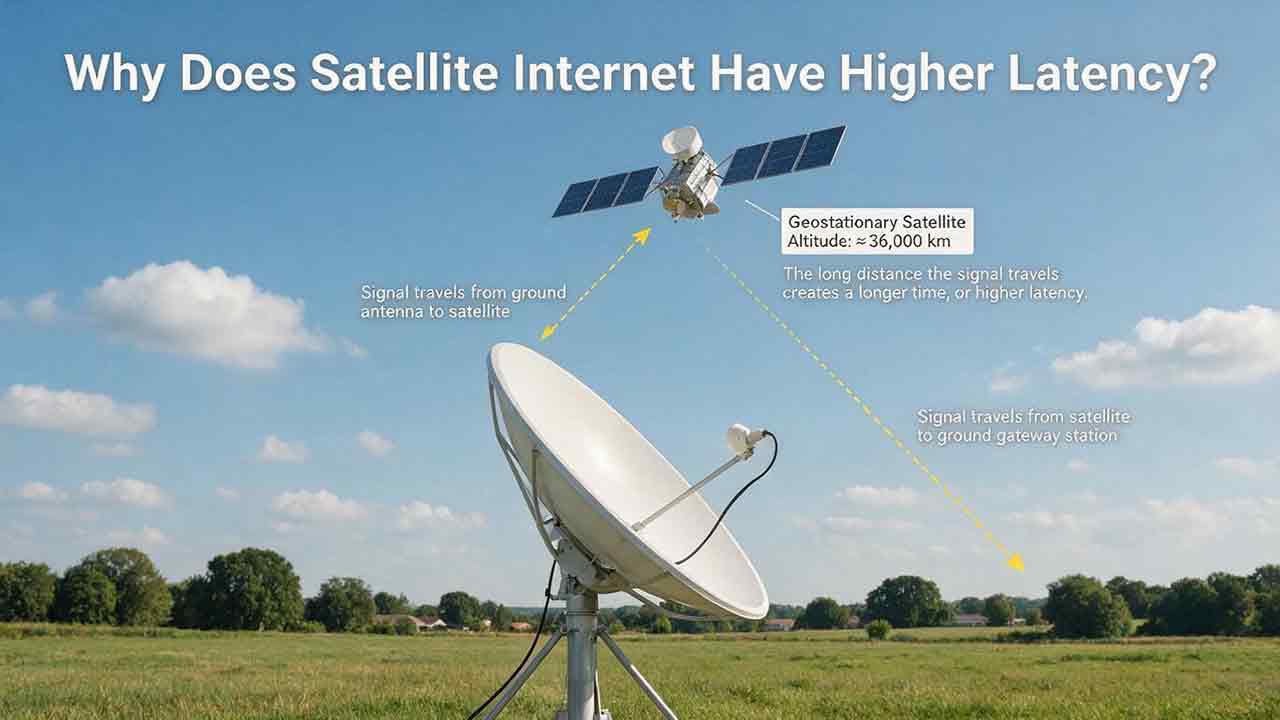
Why Does Satellite Internet Have Higher Latency?
Satellite internet often has higher latency because data must travel between a ground terminal, an orbiting satellite, a gateway and the wider internet before a response returns. This guide explains that delay through a transparent GEO propagation calculation, showing why an idealized four-leg path to a geostationary satellite corresponds to about 477 milliseconds before routing and processing are added. It also compares GEO and LEO architectures, clarifies the difference between bandwidth and latency, and examines how congestion, gateways, packet loss, Wi-Fi and upload saturation affect real-world performance. Readers can use the original Three-Layer Latency Framework, Two-Test Rule, diagnostic matrix and performance log to distinguish unavoidable orbital delay from provider-network or home-network problems. The article also helps rural households, remote workers and prospective buyers judge whether satellite latency is suitable for streaming, video calls, gaming, cloud applications and other everyday uses.
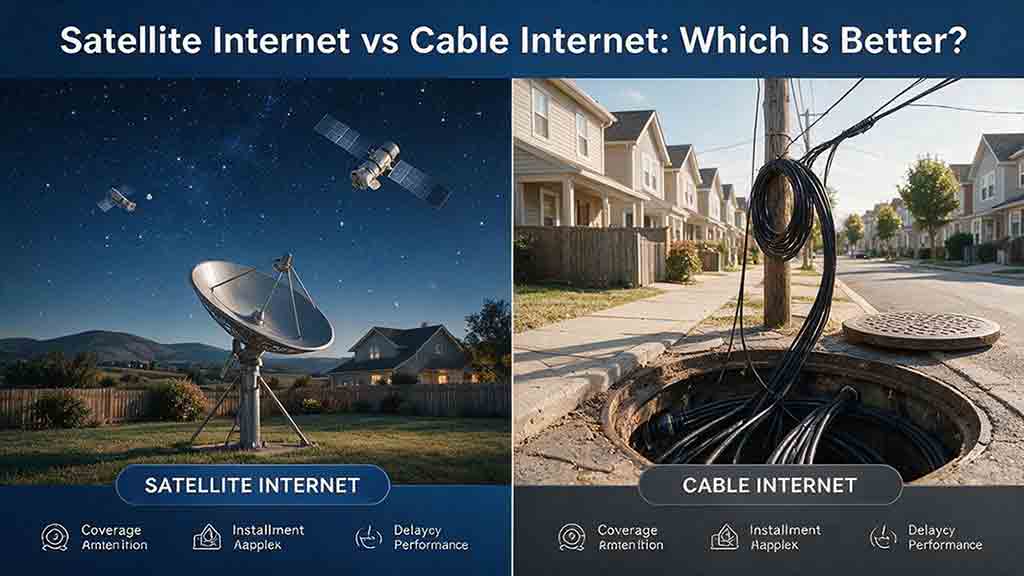
Satellite Internet vs Cable Internet: Which Is Better?
Cable internet is usually the stronger option when reliable service is available at a reasonable total cost, while satellite internet is often more practical for rural, remote, or difficult-to-wire properties. This guide compares both technologies across download speed, upload capacity, latency, reliability, data policies, installation requirements, and long-term cost. It explains why LEO and GEO satellite systems provide different user experiences and includes a transparent GEO propagation estimate, a household bandwidth example, and a rural installation cost comparison. Readers can also use the Eligibility-First Internet Selection Test to eliminate nonviable services, protect critical requirements, and score the remaining options according to their priorities. Reliability evidence, confidence levels, troubleshooting steps, and a detailed buying checklist help prevent decisions based only on advertised speed or promotional pricing. The article uses official FCC, NASA, CableLabs, Starlink, Netflix, and Zoom documentation while clearly separating published specifications from editorial calculations and planning recommendations.
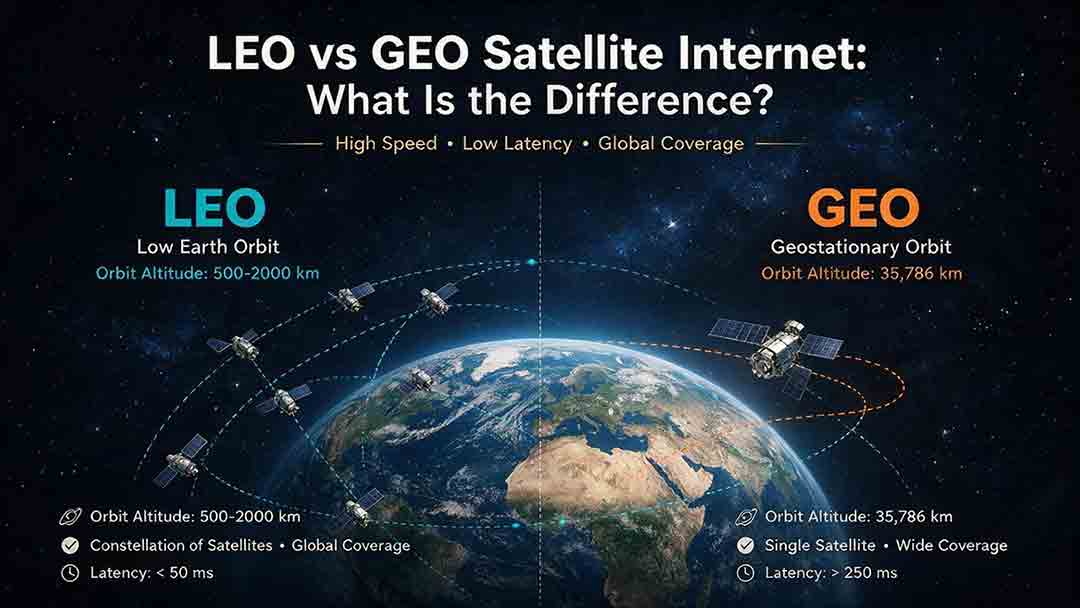
LEO vs GEO Satellite Internet: What Is the Difference?
LEO and GEO satellite internet differ mainly in orbital altitude, latency, coverage, and installation requirements. LEO networks use constellations of satellites moving relatively close to Earth, which generally provides lower latency for video meetings, remote desktops, cloud applications, voice calls, and many online games. GEO satellites remain in a fixed apparent position approximately 35,786 kilometers above the equator, allowing users to install permanently aligned dishes while receiving broad regional coverage. However, the longer signal path creates unavoidable propagation delay. This guide explains why orbit type does not determine download speed or reliability by itself. It compares network capacity, sky visibility, high-latitude coverage, weather effects, and address-level availability. Readers can also use the CosmoBasics LVC Decision Framework, worked propagation calculations, illustrative scenarios, six-step selection process, and buying checklist to evaluate whether LEO, GEO, or a terrestrial broadband service is the most practical option for their location.
Explore More Topics
How Do Satellites Detect Wildfires and Smoke?
Satellites detect wildfires by measuring unusual heat in infrared wavelengths, while visible, multispectral, and aerosol observations help analysts follow smoke across the atmosphere. This guide explains how systems such as GOES, VIIRS, MODIS, Landsat, and Sentinel contribute different pieces of the wildfire-monitoring picture. Readers will learn why a thermal hotspot is not the same as an exact fire perimeter, why satellite smoke imagery cannot replace ground-level PM2.5 measurements, and how clouds, terrain, viewing geometry, and satellite overpass timing can affect detection. The article also compares commonly used fire and smoke products, explains fire radiative power and the Normalized Burn Ratio, and provides a practical framework for choosing the right map. A documented Camp Fire example shows how multiple satellite and surface datasets can complement one another. Satellite information is valuable for situational awareness, but official emergency agencies remain the appropriate source for evacuation orders, road closures, and immediate safety decisions.

How Are Satellite Images Used in Agriculture?
Satellite images help farmers, agronomists, researchers, insurers, and public agencies monitor agricultural land across fields, regions, and growing seasons. This guide explains how optical, radar, thermal, and microwave satellite observations support crop-development monitoring, irrigation analysis, field mapping, flood and drought assessment, crop classification, and regional production forecasting. It distinguishes what satellites directly observe from calculated indices, classification results, and modeled estimates such as evapotranspiration. Readers will also learn how NDVI works, why spatial resolution and image timing matter, and when drones or field scouting are more appropriate. The original CosmoBasics SCALE Framework provides a practical way to decide whether satellite imagery fits a specific agricultural problem. Documented examples from USDA and OpenET show how operational products combine multiple observations, reference data, weather information, and models. Throughout the guide, satellite imagery is treated as a screening and monitoring tool—not a substitute for field verification, laboratory testing, or professional agricultural judgment.
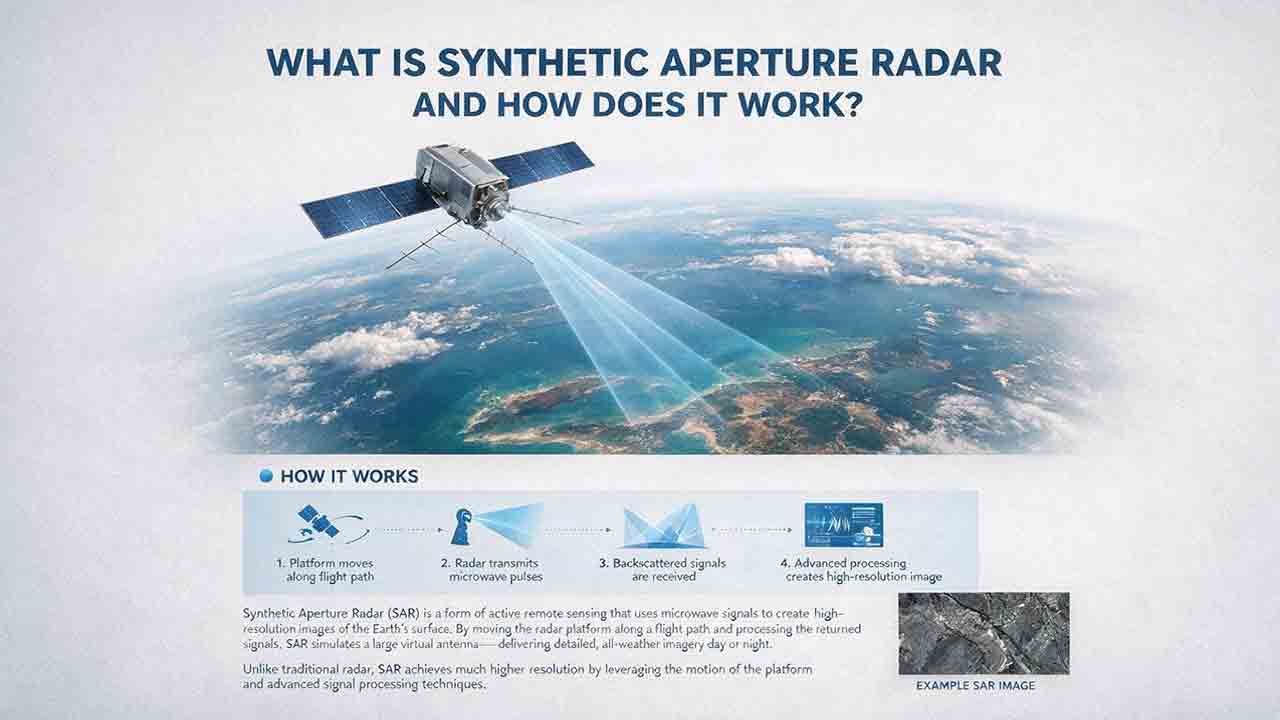
What Is Synthetic Aperture Radar and How Does It Work?
Synthetic aperture radar, or SAR, is an active Earth-observation technology that creates detailed images by transmitting microwave pulses and measuring the echoes returned from the surface. This article explains how a moving satellite or aircraft collects repeated observations to form a virtual antenna, why SAR can operate at night and through most cloud cover, and how amplitude, phase, wavelength, polarization, surface roughness, moisture, and viewing geometry affect radar imagery. It also distinguishes pixel spacing from true spatial resolution, provides a transparent range-resolution calculation, and compares SAR with optical satellite imagery. Practical sections examine scattering mechanisms, flood mapping, agriculture, forests, ice, maritime monitoring, and InSAR-based ground-deformation analysis. Original interpretation and data-selection frameworks help readers evaluate backscatter patterns, choose suitable products, identify common errors, troubleshoot unexpected results, and communicate uncertainty without treating derived radar products as guaranteed ground truth.