How Does Satellite Internet Work

People searching for "How Does Satellite Internet Work?" are usually looking for two types of information:
- A technical explanation of how satellite internet functions
- A practical answer about whether satellite internet is suitable for their location
A useful guide should explain not only how signals travel through space, but also how satellite internet compares with other connectivity options.
Readers typically want to understand:
- How data moves between their home and satellites
- Why latency exists
- What equipment is required
- How LEO and GEO satellites differ
- What limitations satellite internet has
- Whether satellite internet is the right solution for their situation
This guide combines technical explanation with a practical decision framework based on availability, performance requirements, installation conditions, and total cost.
How Satellite Internet Works: From Your Home Antenna to Orbit
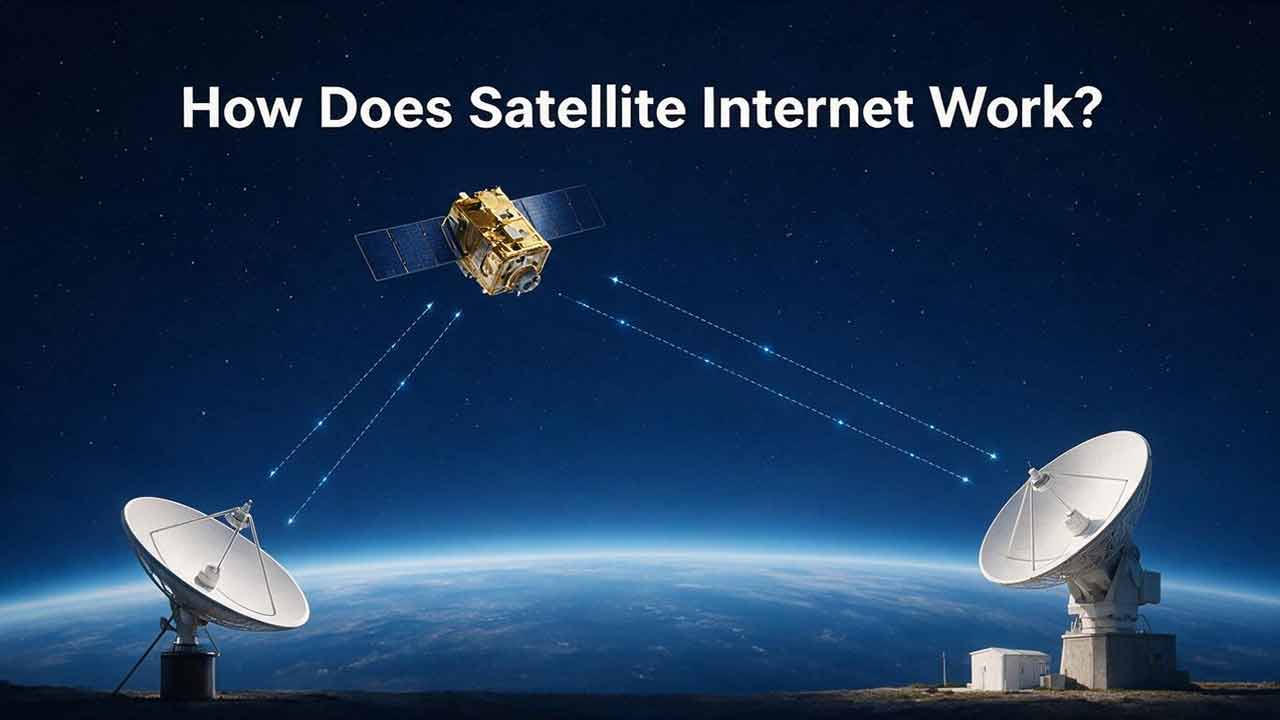
Satellite internet works by sending data between a user's satellite antenna, communication satellites orbiting Earth, and ground stations connected to the internet.
When you open a website, join a video meeting, or stream content, your request travels through this satellite communication network before returning to your device.
The experience depends on several factors:
- Satellite type
- Distance between Earth and orbit
- Network capacity
- Local installation conditions
- Your specific internet needs
Key Takeaways
- Satellite internet uses radio signals instead of physical cables to connect users with internet services.
- A complete satellite internet system includes user equipment, satellites, and ground stations.
- LEO satellite networks generally provide lower latency because satellites operate closer to Earth.
- Satellite internet is most valuable where traditional broadband infrastructure is unavailable or difficult to deploy.
- The best internet option depends on location and requirements, not only advertised speed.
This guide explains both how satellite internet works and when satellite internet makes practical sense.
How Does Satellite Internet Send Data?
Satellite internet transfers information through radio signals traveling between Earth-based equipment and satellites in orbit.
Unlike fiber and cable networks, which depend on physical infrastructure, satellite internet creates a communication path through space.
The basic data route is:
Your Device → Router → Satellite Antenna → Satellite → Ground Station → Internet → Ground Station → Satellite → Your Home
Step-by-Step: What Happens When You Visit a Website?
Step 1: Your Device Sends a Request
Your computer, smartphone, or connected device sends a request through your home network.
Step 2: Your Satellite Antenna Sends the Signal
The satellite terminal converts the request into radio signals and sends the information toward a communication satellite.
Step 3: The Satellite Relays the Data
The satellite receives the signal and forwards the information through the satellite network.
Step 4: The Ground Station Connects to the Internet
Ground stations connect satellite networks with internet backbone infrastructure.
Step 5: The Response Returns
The requested information travels back through the satellite system until it reaches your device.
The process is extremely fast, but signal distance affects response time.
What Are the Main Parts of a Satellite Internet System?
A satellite internet connection depends on three major components.
1. User Terminal: The Equipment at Your Location
The user terminal is the hardware installed at your home, business, or remote location.
It usually includes:
- Satellite antenna
- Network terminal or modem
- Wi-Fi router
- Power equipment
- Mounting hardware
The antenna maintains communication with satellites moving across the sky.
A clear view of the sky is one of the most important installation requirements because physical obstacles can interfere with signal paths.
2. Communication Satellites: The Space Network
Communication satellites act as relay points between users and internet infrastructure.
The two main satellite internet categories are:
| Satellite Type | Orbit Distance | Main Advantage | Main Limitation |
|---|---|---|---|
| LEO (Low Earth Orbit) | Hundreds to around 2,000 km above Earth | Lower latency and faster response | Requires large satellite constellations |
| GEO (Geostationary Orbit) | About 35,786 km above Earth | Large coverage area | Higher latency due to distance |
3. Ground Stations: The Internet Gateway
Ground stations are large Earth-based communication facilities.
They connect satellite networks with traditional internet infrastructure.
A satellite does not replace the internet itself. Instead, it provides a communication bridge between users and internet-connected ground networks.
How Do Modern LEO Satellite Networks Work?
Modern LEO satellite systems use large groups of satellites working together.
Unlike GEO satellites that remain above a fixed region, LEO satellites continuously move around Earth.
Network systems manage connections between:
- User terminals
- Multiple satellites
- Ground stations
- Network resources
Some advanced systems also use inter-satellite links, allowing satellites to exchange information directly before reaching a ground gateway.
Recent improvements in LEO satellite constellations have changed satellite internet from a specialized connectivity option into a more practical broadband solution for many underserved areas.
Why Does Satellite Internet Have Latency?
Latency is the delay between sending information and receiving a response.
The primary reason satellite internet has latency is distance.
Radio signals travel extremely fast, but communication still requires time when signals travel between Earth and orbit.
A GEO satellite connection can involve a much longer communication path than a LEO satellite connection.
Latency matters most for:
| Activity | Importance of Latency |
|---|---|
| Low | |
| Web browsing | Moderate |
| Streaming | Usually manageable |
| Video meetings | Important |
| Competitive gaming | Very important |
Why We Evaluate Satellite Internet Using a Coverage-First Approach
Many internet comparisons begin with speed.
However, speed only matters after availability is solved.
For many urban users, the main question is:
"Which provider offers the best performance?"
For rural or remote users, the first question is often:
"Which technology can actually provide a reliable connection here?"
This is why satellite internet should usually be evaluated in this order:
- Coverage availability
- Reliability requirements
- Latency expectations
- Performance needs
- Total ownership cost
A technology should be judged by the problem it solves, not only by its maximum specifications.
Satellite Internet Decision Framework: Is It Right for You?
Before choosing satellite internet, evaluate four areas.
1. Check Available Alternatives
Compare:
- Fiber
- Cable
- Fixed wireless
- Mobile broadband
If reliable wired broadband is available at a reasonable cost, it may provide better performance.
2. Match Internet Type With Your Activities
| Usage | Satellite Internet Suitability |
|---|---|
| Email and browsing | Usually suitable |
| Online learning | Often suitable |
| Remote work | Depends on reliability needs |
| Streaming | Depends on plan and network conditions |
| Competitive gaming | Usually not the preferred option |
| Large uploads | Compare alternatives carefully |
3. Evaluate Installation Conditions
Satellite internet may require:
- Clear sky visibility
- Suitable mounting location
- Reliable power access
Trees, buildings, and terrain may affect performance.
4. Consider Total Ownership Cost
Do not compare only monthly prices.
Review:
- Equipment cost
- Installation cost
- Monthly service fees
- Additional networking equipment
- Backup connectivity needs
Real-World Satellite Internet Decision Examples
Example 1: Rural Home Without Fiber
Situation
- Fiber is unavailable
- Cable coverage is limited
- Household needs streaming, remote work, and online learning
Analysis
Satellite internet may be a practical choice because the biggest challenge is obtaining reliable access.
In this situation, availability may matter more than achieving the lowest possible latency.
Example 2: Urban Home With Fiber Available
Situation
- Fiber is available
- Multiple people share the connection
- Users need gaming and large uploads
Analysis
Fiber is usually the stronger option because it generally provides:
- Lower latency
- Higher consistency
- Better performance for demanding applications
Example 3: Remote Business or Temporary Location
Situation
- Construction site
- Research location
- Emergency connectivity requirement
Analysis
Satellite internet can provide connectivity without waiting for local infrastructure deployment.
Its main advantage is flexible deployment.
Who Is Satellite Internet Best For?
| User Type | Suitability |
|---|---|
| Rural homeowners | Excellent when wired options are limited |
| Remote workers | Good with modern LEO systems |
| Temporary locations | Often useful |
| Remote businesses | Useful when infrastructure is unavailable |
| Online gamers | Usually not ideal |
| Urban fiber users | Usually unnecessary |
Satellite Internet vs Fixed Wireless
Fixed wireless is another important rural connectivity option.
| Factor | Satellite Internet | Fixed Wireless |
|---|---|---|
| Infrastructure | Space-based network | Local wireless towers |
| Coverage | Very broad | Depends on tower availability |
| Latency | Usually higher | Often lower |
| Installation | Satellite equipment | Wireless receiver |
| Best for | Remote locations without local infrastructure | Areas with suitable nearby towers |
The better choice depends on what infrastructure exists near the user's location.
Satellite Internet vs Fiber and Cable
Satellite internet serves a different purpose from traditional broadband.
| Factor | Satellite Internet | Cable Internet | Fiber Internet |
|---|---|---|---|
| Connection method | Satellite communication | Cable network | Fiber optic cable |
| Coverage | Broad availability | Depends on infrastructure | Depends on deployment |
| Latency | Usually higher | Lower | Usually lowest |
| Rural availability | Often strong | Variable | Limited in many areas |
| Best use case | Locations without practical wired options | General home internet | High-performance users |
Understanding Satellite Internet Costs
A realistic cost comparison should include more than a monthly subscription.
Initial Costs
Possible expenses:
- Satellite antenna
- Router equipment
- Mounting hardware
- Installation
Recurring Costs
Consider:
- Monthly service fees
- Equipment rental or financing
- Data policies
Long-Term Considerations
Users should also consider:
- Reliability requirements
- Backup connectivity
- Future availability of other broadband options
The best value is not always the cheapest monthly plan. It is the option that provides reliable connectivity for the location.
Where Satellite Internet Is Not the Best Option
Satellite internet is not the ideal choice for every user.
It may not be the best option when:
- Fiber is already available at a competitive price
- Ultra-low latency is required
- Multiple users need maximum bandwidth consistency
- Large-scale data transfers happen frequently
In these situations, fiber or cable may provide a better overall experience.
Understanding limitations is just as important as understanding advantages.
Satellite Internet Myths vs Reality
Myth 1: Satellite Internet Is Always Slow
Reality
Performance depends on satellite technology, network capacity, and location.
Modern LEO systems have improved responsiveness compared with older satellite networks.
Myth 2: Satellite Internet Only Works in Remote Areas
Reality
Satellite internet is especially useful in remote areas, but availability is not limited only to rural locations.
Myth 3: Weather Always Stops Satellite Internet
Reality
Heavy precipitation can affect signal quality, but impact varies depending on weather intensity and system design.
How Does Network Congestion Affect Satellite Internet?
Satellite internet users share network resources.
Performance may change because of:
- Regional demand
- Satellite capacity
- Network traffic patterns
- Service plan differences
Advertised speeds represent expected capability, but real-world results may vary.
What Happens When Satellite Internet Loses Signal?
Common interruptions usually come from local conditions.
| Cause | Possible Impact |
|---|---|
| Trees or buildings blocking antenna | Signal interruption |
| Heavy rain or snow | Reduced signal quality |
| Equipment problems | Connection instability |
| Local network issues | Device access problems |
Satellite Internet Suitability Matrix
| Situation | Recommended Evaluation |
|---|---|
| Fiber available | Compare fiber first |
| No wired broadband available | Satellite may be a strong option |
| Remote temporary location | Satellite can provide flexible connectivity |
| Low-latency gaming | Fiber or cable preferred |
| Rural connectivity challenge | Satellite is often worth considering |
First-Time Satellite Internet Buyer Checklist
Before ordering satellite internet:
✅ Confirm service availability at your location
✅ Check antenna installation requirements
✅ Verify clear sky visibility
✅ Understand upfront and monthly costs
✅ Compare alternative providers and technologies
Final Satellite Internet Decision Checklist
Before choosing satellite internet, ask:
Is traditional broadband available at this location?
How important is low latency for daily activities?
Does the installation location have a clear view of the sky?
Are equipment and monthly costs acceptable?
Is the priority maximum performance or reliable availability?
Satellite internet is usually strongest when coverage matters more than raw performance.
Our Practical Recommendation: When Satellite Internet Makes Sense
Satellite internet should not be viewed as a universal replacement for fiber or cable.
Its greatest value is solving connectivity challenges created by geography.
For users with reliable fiber access, wired broadband is usually the stronger performance choice.
For rural homes, remote businesses, and locations without practical broadband alternatives, satellite internet can provide meaningful connectivity.
The right question is not:
"Is satellite internet the fastest option?"
The better question is:
"Is satellite internet the best option available for this location?"
Frequently Asked Questions
How does satellite internet work without cables?
Satellite internet uses radio signals between your antenna and satellites instead of physical cables directly connecting your home.
Can satellite internet replace fiber internet?
Fiber generally provides lower latency and stronger consistency. Satellite internet may be the better option where fiber is unavailable.
How fast is satellite internet compared with fiber?
Modern LEO satellite networks have improved performance significantly, but fiber usually remains stronger for high-demand and latency-sensitive applications.
Does satellite internet work everywhere?
Satellite internet has broad coverage, but availability depends on provider service areas, local regulations, installation conditions, and satellite visibility.
Is satellite internet reliable for remote work?
Satellite internet can support remote work, especially with modern LEO systems. Users should evaluate video meeting requirements, latency tolerance, reliability expectations, and backup options.
Does satellite internet work for online gaming?
Satellite internet can support casual gaming, but competitive gaming usually benefits from fiber or cable because lower latency is important for fast reactions.
Is satellite internet good for streaming?
Satellite internet can support video streaming, especially with modern systems.
However, streaming quality depends on service capacity, network conditions, and household usage.
About This Article
This article focuses on the practical questions users face when comparing internet options, including coverage limitations, latency expectations, installation requirements, costs, and real-world scenarios.
The goal is to help readers understand not only how satellite internet works, but also when satellite connectivity is a suitable alternative to traditional broadband.
This guide is based on publicly available satellite communication resources, broadband documentation, and provider technical materials rather than hands-on product testing.
Technical Review
Technical accuracy reviewed by the Editorial Team using satellite communication resources, broadband documentation, and publicly available technical materials.
The review process focuses on factual accuracy, clarity, and practical usefulness.
Sources
Federal Communications Commission — Broadband Consumer Labels
Official U.S. broadband disclosure framework for plan pricing and performance information.European Space Agency — Orbits
Official overview of communications-satellite orbit types, including LEO and GEO characteristics.NASA — Near Space Network
Official NASA overview of space communications and ground-network services used to exchange mission data.International Telecommunication Union — Recommendation ITU-R P.618
Technical recommendation covering propagation data and prediction methods used in Earth-space telecommunication system design.
More from Satellite Internet & Connectivity
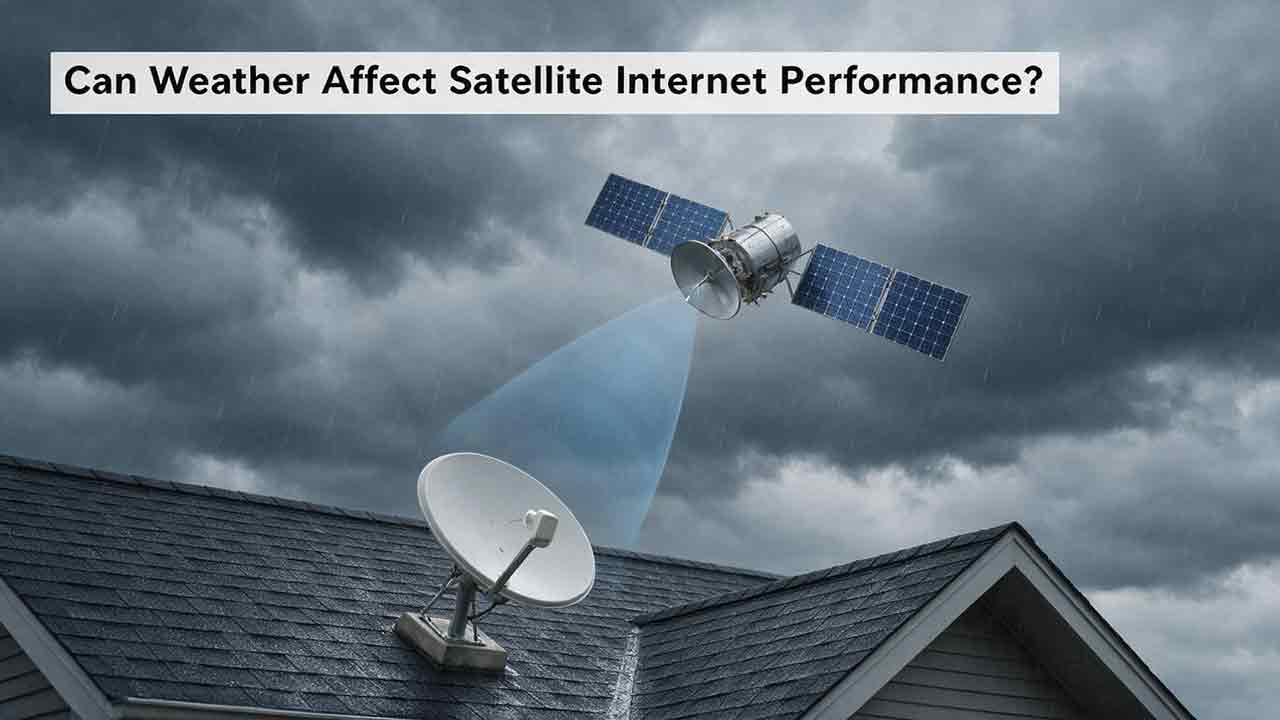
Can Weather Affect Satellite Internet Performance?
Weather can affect satellite internet performance, but the severity depends on the type of weather, signal frequency, equipment condition, installation quality, and network architecture. This guide explains how intense rain can cause temporary signal attenuation, why wet snow and ice may affect both the radio path and the terminal, and how wind, lightning, extreme temperatures, and power failures can disrupt service indirectly. It also explains why users may experience an outage under clear local skies when severe weather affects a distant provider gateway. To help readers diagnose problems safely, the article introduces the CosmoBasics Weather Impact Triangle, separating signal-path, terminal, and infrastructure risks. Readers also receive a practical troubleshooting process, a reusable weather incident log, common-mistake warnings, and a harsh-climate buying checklist. The guide relies on ITU, NASA, NOAA, FCC, and provider documentation while clearly distinguishing general engineering principles from model-specific equipment features.
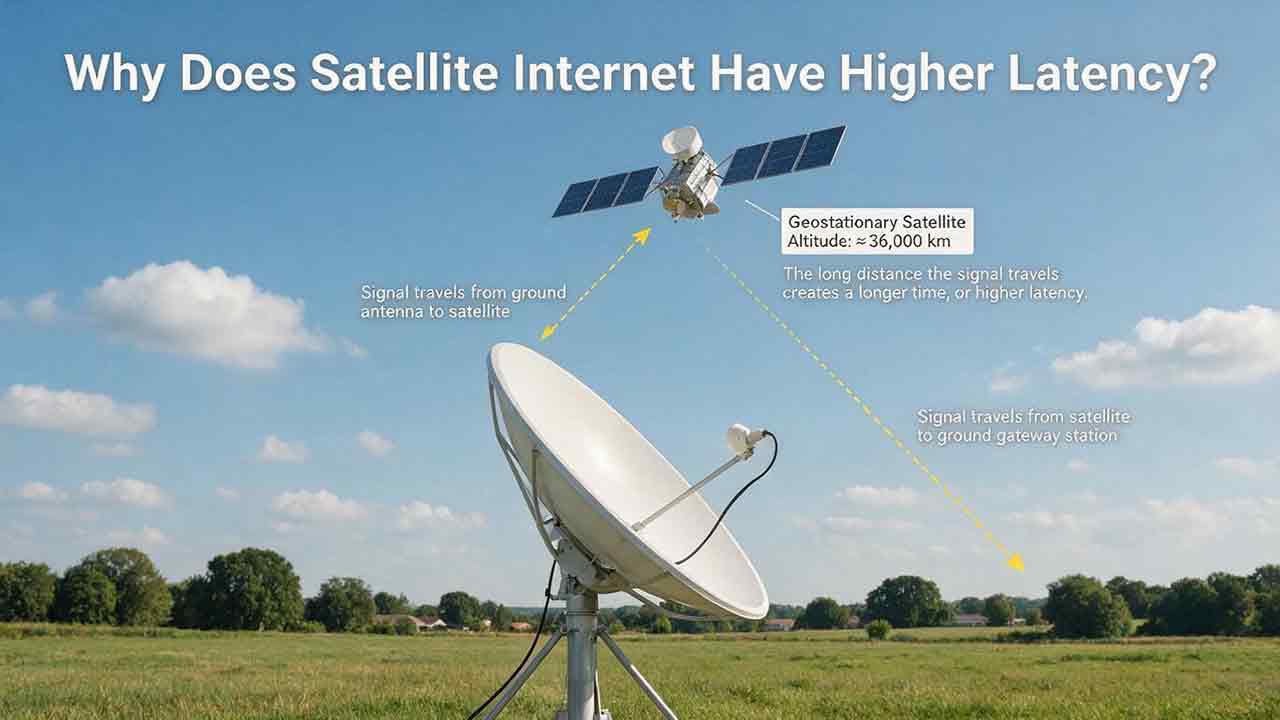
Why Does Satellite Internet Have Higher Latency?
Satellite internet often has higher latency because data must travel between a ground terminal, an orbiting satellite, a gateway and the wider internet before a response returns. This guide explains that delay through a transparent GEO propagation calculation, showing why an idealized four-leg path to a geostationary satellite corresponds to about 477 milliseconds before routing and processing are added. It also compares GEO and LEO architectures, clarifies the difference between bandwidth and latency, and examines how congestion, gateways, packet loss, Wi-Fi and upload saturation affect real-world performance. Readers can use the original Three-Layer Latency Framework, Two-Test Rule, diagnostic matrix and performance log to distinguish unavoidable orbital delay from provider-network or home-network problems. The article also helps rural households, remote workers and prospective buyers judge whether satellite latency is suitable for streaming, video calls, gaming, cloud applications and other everyday uses.
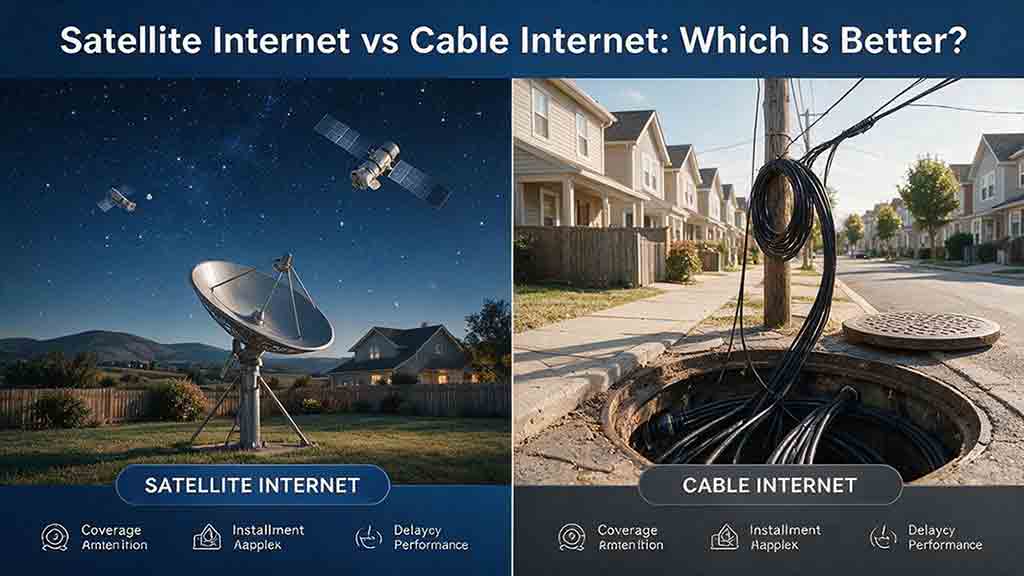
Satellite Internet vs Cable Internet: Which Is Better?
Cable internet is usually the stronger option when reliable service is available at a reasonable total cost, while satellite internet is often more practical for rural, remote, or difficult-to-wire properties. This guide compares both technologies across download speed, upload capacity, latency, reliability, data policies, installation requirements, and long-term cost. It explains why LEO and GEO satellite systems provide different user experiences and includes a transparent GEO propagation estimate, a household bandwidth example, and a rural installation cost comparison. Readers can also use the Eligibility-First Internet Selection Test to eliminate nonviable services, protect critical requirements, and score the remaining options according to their priorities. Reliability evidence, confidence levels, troubleshooting steps, and a detailed buying checklist help prevent decisions based only on advertised speed or promotional pricing. The article uses official FCC, NASA, CableLabs, Starlink, Netflix, and Zoom documentation while clearly separating published specifications from editorial calculations and planning recommendations.
Explore More Topics

How Do Satellites Detect Wildfires and Smoke?
Satellites detect wildfires by measuring unusual heat in infrared wavelengths, while visible, multispectral, and aerosol observations help analysts follow smoke across the atmosphere. This guide explains how systems such as GOES, VIIRS, MODIS, Landsat, and Sentinel contribute different pieces of the wildfire-monitoring picture. Readers will learn why a thermal hotspot is not the same as an exact fire perimeter, why satellite smoke imagery cannot replace ground-level PM2.5 measurements, and how clouds, terrain, viewing geometry, and satellite overpass timing can affect detection. The article also compares commonly used fire and smoke products, explains fire radiative power and the Normalized Burn Ratio, and provides a practical framework for choosing the right map. A documented Camp Fire example shows how multiple satellite and surface datasets can complement one another. Satellite information is valuable for situational awareness, but official emergency agencies remain the appropriate source for evacuation orders, road closures, and immediate safety decisions.

How Are Satellite Images Used in Agriculture?
Satellite images help farmers, agronomists, researchers, insurers, and public agencies monitor agricultural land across fields, regions, and growing seasons. This guide explains how optical, radar, thermal, and microwave satellite observations support crop-development monitoring, irrigation analysis, field mapping, flood and drought assessment, crop classification, and regional production forecasting. It distinguishes what satellites directly observe from calculated indices, classification results, and modeled estimates such as evapotranspiration. Readers will also learn how NDVI works, why spatial resolution and image timing matter, and when drones or field scouting are more appropriate. The original CosmoBasics SCALE Framework provides a practical way to decide whether satellite imagery fits a specific agricultural problem. Documented examples from USDA and OpenET show how operational products combine multiple observations, reference data, weather information, and models. Throughout the guide, satellite imagery is treated as a screening and monitoring tool—not a substitute for field verification, laboratory testing, or professional agricultural judgment.
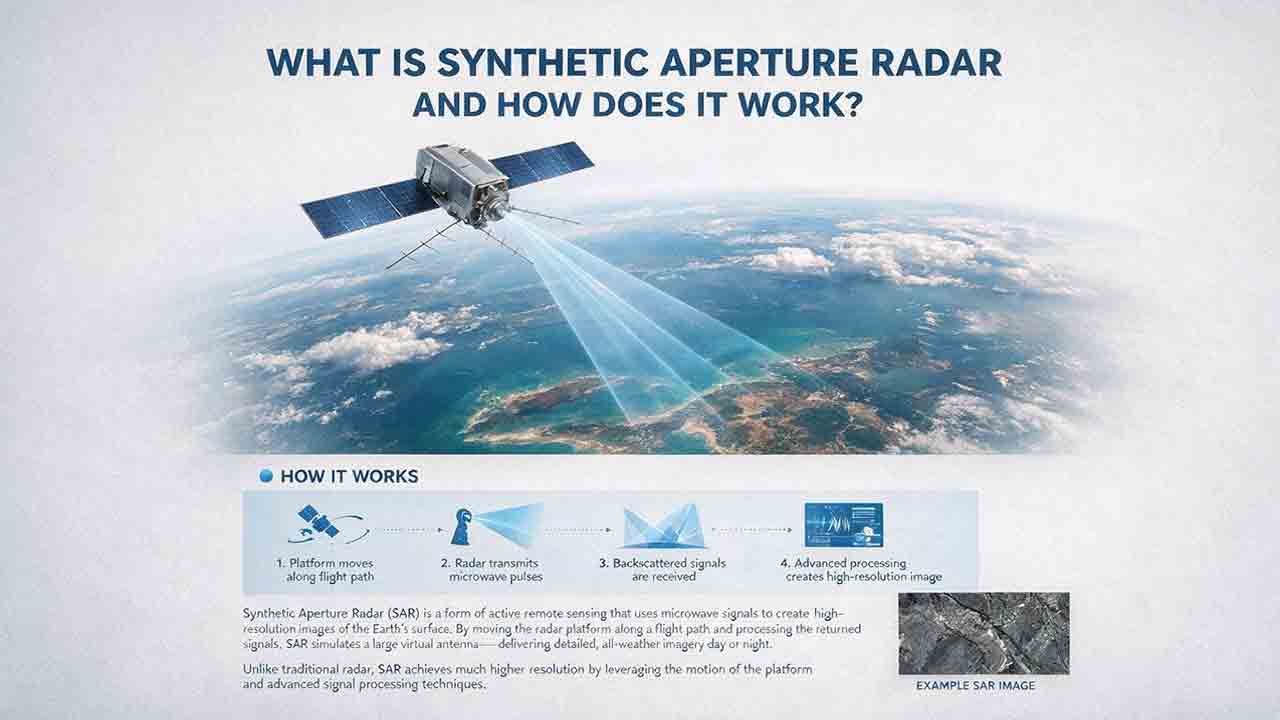
What Is Synthetic Aperture Radar and How Does It Work?
Synthetic aperture radar, or SAR, is an active Earth-observation technology that creates detailed images by transmitting microwave pulses and measuring the echoes returned from the surface. This article explains how a moving satellite or aircraft collects repeated observations to form a virtual antenna, why SAR can operate at night and through most cloud cover, and how amplitude, phase, wavelength, polarization, surface roughness, moisture, and viewing geometry affect radar imagery. It also distinguishes pixel spacing from true spatial resolution, provides a transparent range-resolution calculation, and compares SAR with optical satellite imagery. Practical sections examine scattering mechanisms, flood mapping, agriculture, forests, ice, maritime monitoring, and InSAR-based ground-deformation analysis. Original interpretation and data-selection frameworks help readers evaluate backscatter patterns, choose suitable products, identify common errors, troubleshoot unexpected results, and communicate uncertainty without treating derived radar products as guaranteed ground truth.